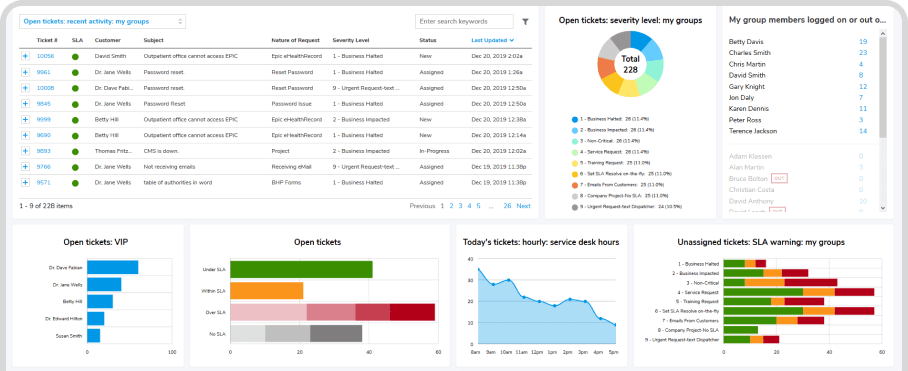
IT Asset Management (ITAM) in the Cloud
Protect Your Assets
Giva safeguards hardware & software with little effort.
ITIL®-aligned & well integrated with Giva's ticketing systems.

Safety and Security of HIPAA/HITECH Compliance

As Easy as Setup, Track, Flourish
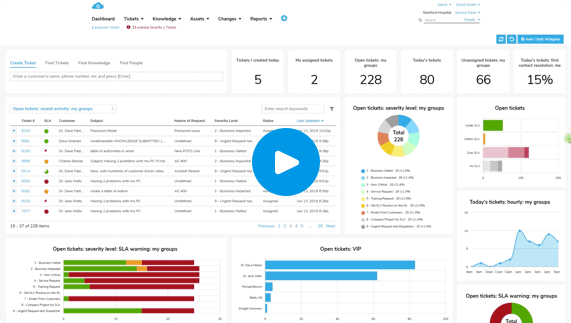
Intuitive Dashboard Ticket Creation Made Simple
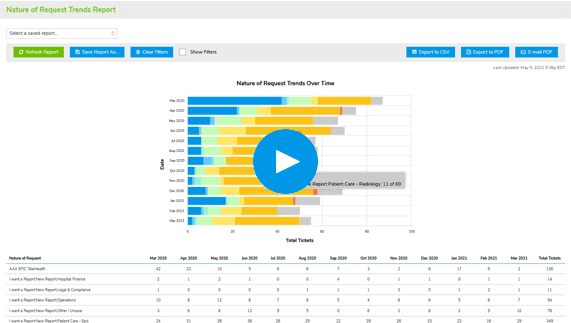
Robust, Fast & Painless Reports
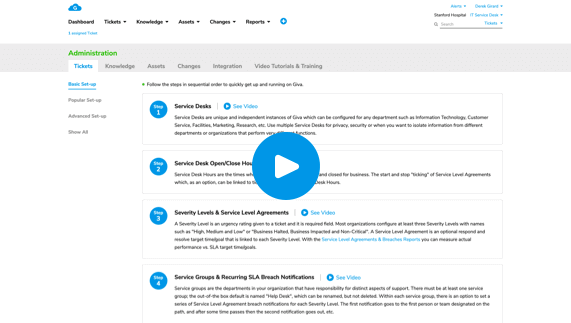
Set Up Quickly


Gain Total Visibility Into Your IT Assets—No More Guesswork
- Track Every Asset With ConfidenceGet complete insight into hardware and software across your organization
- Link Assets for Full ContextAssociate assets with tickets, people, and locations to improve service and accountability
- Control the Entire Asset LifecycleFollow each asset from acquisition to retirement with detailed history and change logs
- Eliminate Redundancy and InaccuracyBrings rapid handling to increase customer satisfaction

Gain Total Visibility Into Your IT Assets—No More Guesswork
- Track Every Asset With ConfidenceGet complete insight into hardware and software across your organization
- Link Assets for Full ContextAssociate assets with tickets, people, and locations to improve service and accountability
- Control the Entire Asset LifecycleFollow each asset from acquisition to retirement with detailed history and change logs
- Eliminate Redundancy and InaccuracyBrings rapid handling to increase customer satisfaction
Speed Up Compliance & Audits With Centralized Asset Data
- Be Audit-Ready at All TimesGenerate asset reports and histories instantly for internal or regulatory audits
- Create a Reliable Compliance TrailTrack asset assignments and status changes to support security and software compliance
- Centralize Key Asset DetailsCapture ownership, licenses, and configuration data in one secure location
- Reduce Legal and Financial RiskStay ahead of licensing issues with proactive tracking and documentation

Reduce Manual Effort With Easy Asset Management Workflows
- Automate Data EntryPopulate asset records automatically through tickets and bulk imports
- Simplify Everyday TasksUse intuitive tools to assign, reassign, or retire assets in just a few clicks
- Stay on Top of Asset LifecyclesManage warranty expirations, loaner information, and lease renewals for better transitions
- Streamline OnboardingImport assets quickly from spreadsheets or discovery tools with minimal setup

Reduce Manual Effort With Easy Asset Management Workflows
- Automate Data EntryPopulate asset records automatically through tickets and bulk imports
- Simplify Everyday TasksUse intuitive tools to assign, reassign, or retire assets in just a few clicks
- Stay on Top of Asset LifecyclesManage warranty expirations, loaner information, and lease renewals for better transitions
- Streamline OnboardingImport assets quickly from spreadsheets or discovery tools with minimal setup
Make Smarter IT Decisions With Actionable Asset Reporting
- Uncover Hidden CostsAnalyze asset usage and lifecycle trends to drive smarter IT spending
- Customize Reporting for Any AudienceFilter and export the data you need—whether for leadership or frontline teams
- Spot Optimization OpportunitiesIdentify underused or aging assets and reduce unnecessary purchases
- Connect the Dots Across ITCorrelate asset data with support tickets and performance for full operational insight

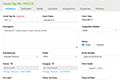
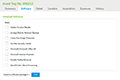
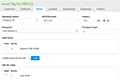
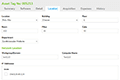
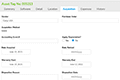
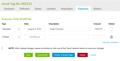
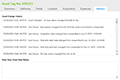
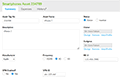
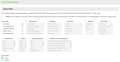
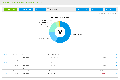
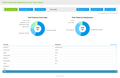
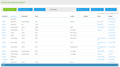
IT Asset Management Workflow Snapshots

Provide Your Customers with the Safety and Security of HIPAA/HITECH Compliance
HIPAA Compliance Included in All Editions at No Additional Cost & Covered by Cyber Liability Insurance Policy
You know that cyberattacks, data breaches, and malware pose significant threats, so adhering to stringent security and compliance standards is paramount. HIPAA-level security benefits not only healthcare, but any industry, and is crucial for safeguarding customer privacy and personal information.
Get more details on how Giva's HIPAA Compliance keeps your data secure.
Customer Testimonials
<
>

We selected Giva in 2014 because you were $1 million cheaper and had about 80% of the functionality of ServiceNow®, and we could get up and running in many orders of magnitude less time with Giva than ServiceNow.
Mike Norman
Director
Giva's HIPAA compliant cloud IT help desk application has been an important foundation to our new strategy in IT, and has helped us achieve a 90% Service Level Agreement (SLA) compliance.
Louis Duhé
Vice President & Chief Information Officer
Selecting Giva was an excellent choice for Santé Health Systems. Compared with Ivanti® ITSM Help Desk, Giva is more intuitive, easier and faster to customize, more functional, and has outstanding reports and dashboards.
Juan Carlo Muro
IT Director
The Giva Service Management Suite and reports are consistently fast and responsive, proving that Giva has figured out how to build and scale a true cloud application delivered over the public Internet.
David Burne
IT Leader
Giva is an outstanding IT service desk product and we recommend it to anybody that wants to increase customer satisfaction and IT productivity while lowering costs by saving man-hours.
Eric Taylor
IT Manager
There are many significant reasons why Giva was selected over other vendors, but the biggest differentiator is that the Giva user interface is uncomplicated, uncluttered, clean and extremely easy to use.
Floyd Withrow
Chief Information Officer
We estimate a 75% reduction in time-to-deploy when compared with our initial Ivanti® ITSM Help Desk implementation, and the reduction of a combined FTE position with system support in the hosted environment and ease of reporting.
Suzanne DeBlanc
Vice President Customer Service
We estimate that we have been able to reduce the total cost of ownership of our IT service desk application by approximately 30% in the first year.
Neil Ferguson
Chief Technology Officer
Giva has implemented their workflows, grids, charts and other monitoring tools in an intuitive, slick and simple way, similar to the Apple Computer iPhone and iPad user interface design.
Ken Adams
Chief Information Officer
Westway is very satisfied with the hosted service and benefits provided by Giva. When comparing all of our IT vendors, Giva's commitment and passion in maintaining its products and providing excellent customer service is 'best in class' and clearly distinguished above the rest of our vendors.
Peter Griffiths
IT Director
The Giva Service Management Suite is a highly reliable solution which meets the demanding and high expectations of our customers.
Jim Kline
Director of Technology Group Operations
We've crunched the numbers. We know we are saving a lot of money using the Giva Service Management Suite versus other enterprise-class knowledge base and help desk software products.
William McDonald
CIO
Giva has had a very positive impact on our business and we are exceedingly pleased with our decision to purchase Giva's Cloud Computing Software-as-a-Service (SaaS) IT help desk application.
Steven Marks
CIO
We are very pleased with our decision to purchase Giva. We get a high level of support and dedication – in fact, they have surprised us with their very high level of responsiveness and attention. Hewlett Foundation is a very well satisfied customer.
Sally Lee
Information Services, Project Manager
Schedule a demo now, or start your own free, 30-day trial today.
Get free set-up assistance. At no cost to you, Giva's well-trained product experts will answer questions and make setup/configuration recommendations during the 30-day trial.
Start a Free Trial
Get a Demo