IT Service Management (ITSM) Software by Giva
AI Powered & HIPAA Compliant
Amplify Your Value, Not Your Effort
- Giva orchestrates IT harmony for all & is your trusted guide. Full ITIL® compliance, or just some — either way we make it easy
- People are the center of excellent service & AI Copilots help soar productivity
- Start serving customers after just 1 hour of training
- Resolve issues quickly and effortlessly with AI Copilots, automation & smart workflows
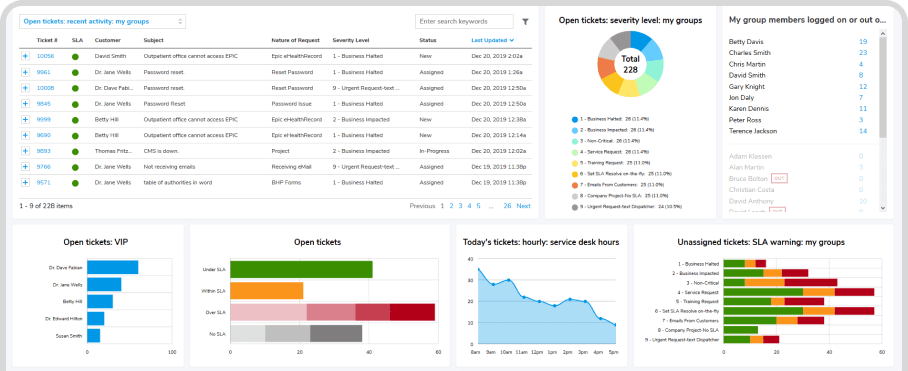
- Get immediate & actionable insights with highly visual dashboards, reports, charts & graphs

Safety and Security of HIPAA/HITECH Compliance




















As Easy as Setup, Track, Flourish
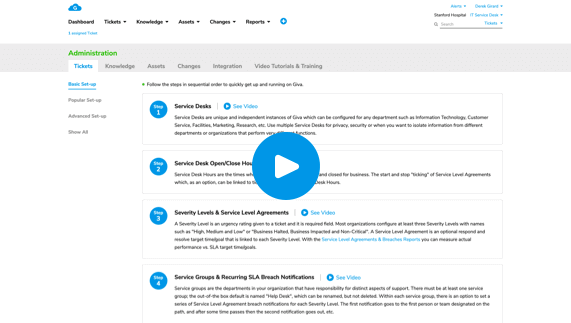
Quick Setup
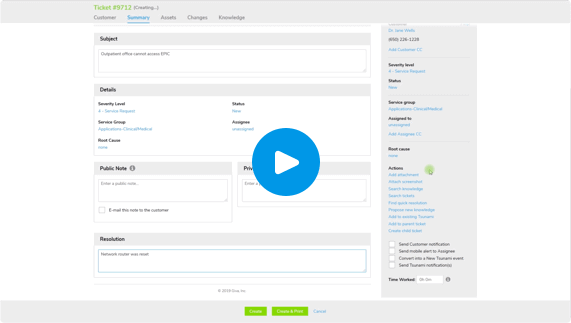
IT Service Management Incident Creation, Simplified
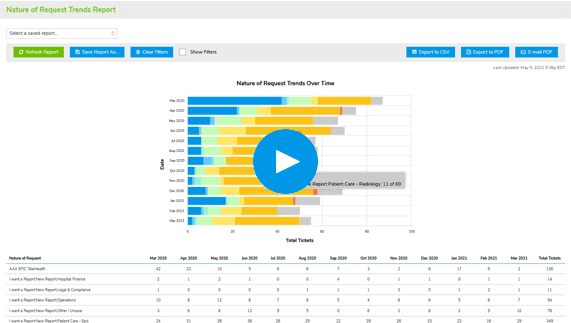
Easy, Robust, Real-Time Reports


AI Copilots Dramatically Increase Productivity
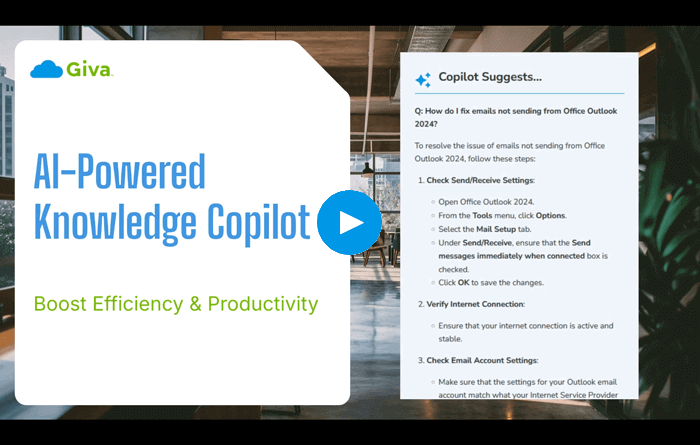
ITSM Knowledge Copilot
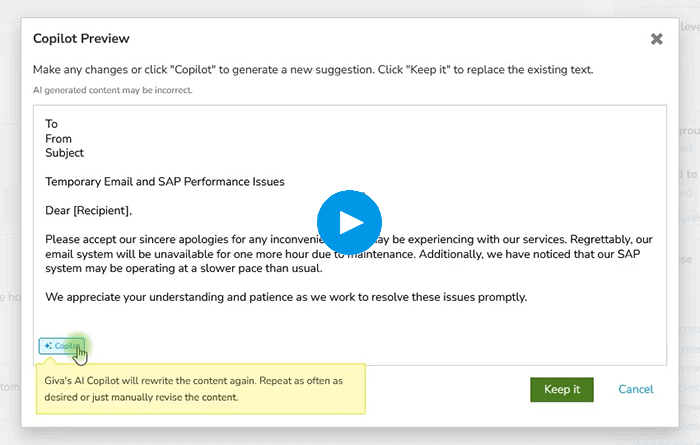
ITSM Ticket Copilot

Knowledge Copilot for HR
Onboard Rapidly & Get Expert Support for Immediate Success
- Integrate Your WayStart with Service Management and then move to more ITIL modules as desired
- Receive Free Setup SupportGet free setup assistance during 30-day trial and beyond, guided by USA-based product experts
- Boost Agent ReadinessUse extensive training resources (video tutorials, self-paced tours, quick start guides, FAQs)
- Minimize Setup and Training CostsLessen training time with intuitive designs, and simplify startup with no coding, programming, or consultants required

Onboard Rapidly & Get Expert Support for Immediate Success
- Integrate Your WayStart with Service Management and then move to more ITIL modules as desired
- Receive Free Setup SupportGet free setup assistance during 30-day trial and beyond, guided by USA-based product experts
- Boost Agent ReadinessUse extensive training resources (video tutorials, self-paced tours, quick start guides, FAQs)
- Minimize Setup and Training CostsLessen training time with intuitive designs, and simplify startup with no coding, programming, or consultants required
Enhance User Autonomy with Self-Service & Knowledgebase Solutions
- Empower UsersUtilize AI-powered Knowledgebase Copilots to guide employee self-service
- Relieve Agents from Common QuestionsReceive AI-curated answers to common questions with the Customer Self-Service Portal
- Integrate for More AutomationUse Giva's API for easy integration with web forms and applications

Make Fast Business Decisions With Deep & Comprehensive Out-of-Box Reporting & Analytics
- Substantially Improve Customer SatisfactionAlways-on/working in the background, real-time customer survey results allow quick action to keep end users happy
- Lower Report Preparation Time by Up to 80%Get Giva's revolutionary Easy Three-Click Reporting™, to create, share, save, and schedule autorun reports, freeing up valuable resources for strategic initiatives
- Avoid Getting BlindsidedVisual reporting tools allow for early and rapid trend detection facilitating proactive problem-solving with improvements and timely interventions
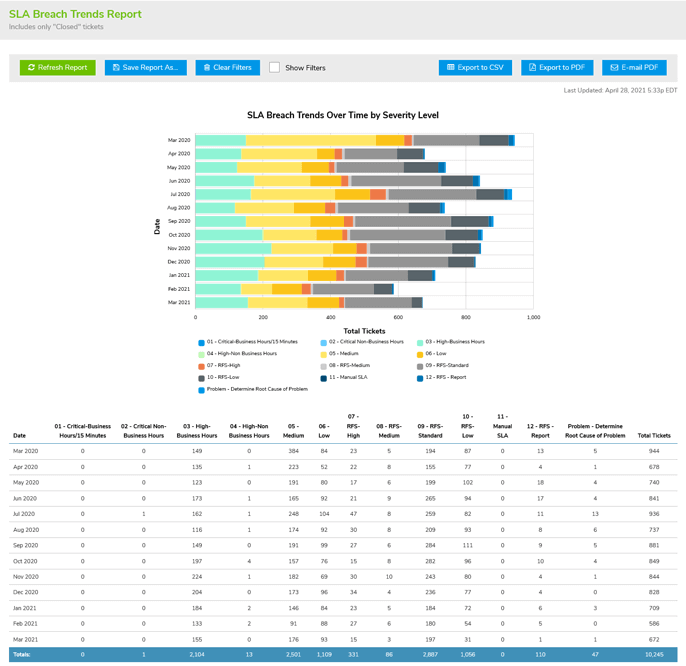
Make Fast Business Decisions With Deep & Comprehensive Out-of-Box Reporting & Analytics
- Substantially Improve Customer SatisfactionAlways-on/working in the background, real-time customer survey results allow quick action to keep end users happy
- Lower Report Preparation Time by Up to 80%Get Giva's revolutionary Easy Three-Click Reporting™, to create, share, save, and schedule autorun reports, freeing up valuable resources for strategic initiatives
- Avoid Getting BlindsidedVisual reporting tools allow for early and rapid trend detection facilitating proactive problem-solving with improvements and timely interventions
Boost Visibility & Productivity With Real-Time Dashboard
- Gain Strategic AdvantageGet instant visibility into critical issues and operational hotspots
- Minimize Time to ValueCustomize the dashboard with a rapid 3-minute setup using a pre-built library of widgets
- Accelerate Decision-MakingA streamlined, clutter-free dashboard prioritizes speed and simplicity

Increase customer satisfaction by 38%
Achieve rapid issue resolution, powered by our easy-to-navigate app and smart workflow automation
Boost operational efficiency with AI Copilots by 47%
Knowledge Copilots identify correct answers/issue resolutions and AI ticket summaries decrease time to resolution
Reduce training costs by up to 70%
Learn easily with our intuitive design, allowing new team members to become proficient in hours, not weeks

Provide Your Customers with the Safety and Security of HIPAA/HITECH Compliance
HIPAA Compliance Included in All Editions at No Additional Cost & Covered by Cyber Liability Insurance Policy
You know that cyberattacks, data breaches, and malware pose significant threats, so adhering to stringent security and compliance standards is paramount. HIPAA-level security benefits not only healthcare, but any industry, and is crucial for safeguarding customer privacy and personal information.
Get more details on how Giva's HIPAA Compliance keeps your data secure.
Customer Testimonials
<
>

We selected Giva in 2014 because you were $1 million cheaper and had about 80% of the functionality of ServiceNow®, and we could get up and running in many orders of magnitude less time with Giva than ServiceNow.
Mike Norman
Director
Selecting Giva was an excellent choice for Santé Health Systems. Compared with Ivanti® ITSM Help Desk, Giva is more intuitive, easier and faster to customize, more functional, and has outstanding reports and dashboards.
Juan Carlo Muro
IT Director
The Giva Service Management Suite and reports are consistently fast and responsive, proving that Giva has figured out how to build and scale a true cloud application delivered over the public Internet.
David Burne
IT Leader
There are many significant reasons why Giva was selected over other vendors, but the biggest differentiator is that the Giva user interface is uncomplicated, uncluttered, clean and extremely easy to use.
Floyd Withrow
Chief Information Officer
We estimate that we have been able to reduce the total cost of ownership of our IT service desk application by approximately 30% in the first year.
Neil Ferguson
Chief Technology Officer
Giva has implemented their workflows, grids, charts and other monitoring tools in an intuitive, slick and simple way, similar to the Apple Computer iPhone and iPad user interface design.
Ken Adams
Chief Information Officer
We've crunched the numbers. We know we are saving a lot of money using the Giva Service Management Suite versus other enterprise-class knowledge base and help desk software products.
William McDonald
CIO
Giva has had a very positive impact on our business and we are exceedingly pleased with our decision to purchase Giva's Cloud Computing Software-as-a-Service (SaaS) IT help desk application.
Steven Marks
CIO
We are very pleased with our decision to purchase Giva. We get a high level of support and dedication – in fact, they have surprised us with their very high level of responsiveness and attention. Hewlett Foundation is a very well satisfied customer.
Sally Lee
Information Services, Project Manager
Schedule a demo now, or start your own free, 30-day trial today.
Get free set-up assistance. At no cost to you, Giva's well-trained product experts will answer questions and make setup/configuration recommendations during the 30-day trial.
Start a Free Trial
Get a Demo