Measuring Success with Your Service Level Agreements-SLA Compliance Trends Reports

This report shows SLA compliance over a period of time. Managing trends toward a higher goal can dramatically increase customer satisfaction. This SLA Compliance Trends Report should be part of your standard reports that you study every week.


Example SLA Compliance Trends Report


SLACOMPLIANCETRENDS

Measuring Success with Your Service Level Agreements-SLA Compliance Reports

Measuring Success

Success of service level management can only be measured by reporting on what percentages of cases by Severity Level were resolved within the goals of the SLA. The reason that you want to measure each Severity Level is that it is absolutely critical to resolve high severity level cases consistently within the SLA. However, sometimes lower severity level cases can fall outside the goals. In other words, we would like to say that we resolve 100% of all Severity Level 1 cases and 90% of Severity Level 4 cases within the times stated in the SLA. Customers will appreciate the process more when they know that if they are really in trouble, there will be resources there to help them.


Example Service Level Agreement Compliance Report

SLACOMPLIANCE


See Dashboard Reports at http://www.givainc.com/help-desk-dashboard-charts.htm 

Here is a great White Paper on Implementing Service Level Agreements. See http://www.givainc.com/white-papers/index.htm

Select Implementing Service Level Agreements: "The Critical Element in Service Delivery"

Service Level Agreements-Examples for the IT Help Desk

Implementing Service Level Agreements takes time and effort. Bring people along with the process. The IT department should be the place to start first. Let your employees (customers) know how they are going to be affected by the new Service Level Agreements. There will be significant benefits. When they really need help, they will be able to get it because your team is going to differentiate between service requests. Is the firm's business halted due to this service request?

Examples of Service Level Agreement  

servicelevelagreement

Some Helpful approaches to implementing Service Level Agreements:


1) Implementing within IT first

a) Apply appropriate Severity Levels.

b) Escalate cases according to SLA rules.

c) Report on performance.


2) Send out the formal announcement to employees

a) Purpose of SLAs

b) How Severity Levels are applied

c) Responsibilities of support organization

d) Responsibilities of customers

e) Performance reporting


Here is a great White Paper on Implementing Service Level Agreements. See http://www.givainc.com/white-papers/index.htm

Select Implementing Service Level Agreements: "The Critical Element in Service Delivery"

Implementing Your Service Level Agreements-Customer Service, Call Center & IT Help Desk

Need help in implementing your Service Level Agreements?

1) Pre-SLA. Before you announce the SLA, practice as if you have an SLA. This includes the following:

a. training the Support Center staff,

b. monitoring response time to ensure SLA compliance,

c. resolving cases in accordance with the SLA,

d. setting customer expectations,

e. managing the work flow within the Support Center and between the second level.

2) Training the rest of the department.

a) Weekly meetings. For the first month it is beneficial to meet regularly to find ways to improve communications and workflow, review Cycle Time Reports and exception reports.

b) Service Group Feedback. Ask other service groups to review their cases for the proper Severity Levels. If they find discrepancies, ask them to provide a list of case types and the appropriate Severity Levels. This will be the basis for Support Center training and documentation.


Here is a great White Paper on Implementing Service Level Agreements. See http://www.givainc.com/white-papers/index.htm

Select Implementing Service Level Agreements: "The Critical Element in Service Delivery"

Software-as-a-Service (SaaS) For Customer Service, Call Center and IT Help Desk

Why is Software as a Service (SaaS) so popular? 

It's the economics stupid!

Look at the Total Cost of of ownership for required hardware and software for a typical midsized Customer Service department, Call Center or IT help desk.  These costs do not consider the cost of the actual customer service, call center or IT help desk software.

It's Green and Cheap!

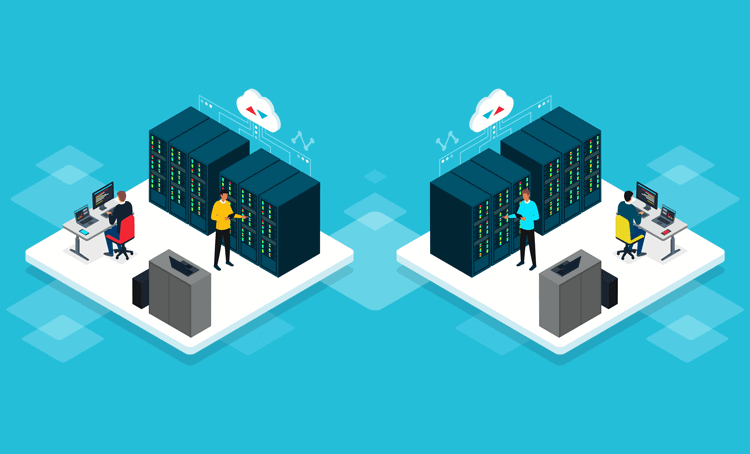
Also, do you really need to have more servers in your company data center burning up power for server operation and cooling. It's an inefficient use of energy. Ask a SaaS vendor if they use a multitenant architecture. Many Software-as-a-Service (SaaS) applications are architected from the start as pure web applications and have multiple customers sharing the same underlying server infrastructure.  This saves power and cooling resources by leveraging and sharing computing infrastructure. With the price of energy on the trend line up with no end in sight, you might consider forecasting your company's server room electric bill 2-3 years from now. Smart CIOs and VPs of Customer Service are planning for this today.

Take a look at these numbers. Are you surprised?

GARTNER GROUP ESTIMATES- 3 YEAR INFRASTRUCTURE & ADMINISTRATION COSTS OF OWNING 2 SERVERS

SUMMARY:

3 Year Infrastructure & Administration Costs of Owning Servers $259,100

  •      Server Support & Maintenance $208,500
  •      Server Hardware & Software $50,600


DETAILS:

1. Database Server required
One server at minimum is required to run applications. DB server cost estimate is $10,000 for hardware. Plus annual maintenance contract and power 40% of cost per year. Use $10,000 x 40% x 3 years = $12,000
$22,000

2. Database Licenses Required
Microsoft SQL @ $5,500 processor license x 2 processors is $11,000. Plus annual software maintenance is 20%..$11,000 x 20% x 3 years =$6,600
$17,600

3. Web Server required
A web server is required for best performance. Total Web Server cost estimate is $5,000 for hardware. Plus annual maintenance contract and power cost is 40% of cost per year. Use $5,000 x 40% x 3 years = $6,000
$11,000

4. General Server Administration (O/S, Patches, Virus, BIOS, HD...)
Servers and O/S require continuous maintenance. Gartner Group estimates 65 hrs/year @ $150/hr. per server is $9,750 x 2 servers x 3 years is $58,500.
$58,500

5. Daily Incremental and Full Weekly Back-up
Your IT department either performs or must automate data backup. Back-up media storage process and costs associated with off-site storage. Gartner Group estimates $10,000/yr. per server x 2 servers x 3 years is $60,000.
$60,000

6. Required Application & Database Administration
Database and application requires continuous monitoring for performance and storage. Gartner Group estimates 50 hrs/year per installation @ $200/hr. is $10,000 x 2 servers x 3 years is $60,000.
$60,000

7. Man-hours required for upgrades
How many total IT man-hours are required to implement an upgrade (Backup, install)? Gartner Group estimates average upgrade requires 80 hrs @ $125/hr is $10,000 x 1 time/yr. x 3 years =$30,000. This does not included user training.
$30,000


Other costs to consider if you want to own Customer Service, Call Center and IT Help Desk software:


8. Up-front configuration required
Configuration requires outside consulting, significant time and input from your organization. As your needs change, this is an ongoing cost.

9. Frequency of incremental upgrades (Months)
How often does the vendor distribute upgrades? What is your required process to deploy an upgrade?

10. User Training
How much additional administrator and user training is required to gain proficiency with a complex client server application deployed locally vs. an externally hosted application? Do you need to maintain programmers and Crystal Reports experts on staff?

See some helpful Giva White Papers at http://www.givainc.com/white-papers/index.htm

Benefits of Service Level Agreements for Customer Service and IT Help Desk

Every day each one of us experiences the setting of expectations. The following are all examples of setting expectations: setting an appointment time, asking for a delivery time and asking for the wait time at a restaurant or car repair shop. Why should your customer service/call center or help desk organization be any different?

The benefits of an SLA are many for the Internal IT help desk or service desk:

· Improves customer service. You will find that cycle times (time to resolve cases) dramatically decrease.

· Facilitates communication. The Support Center staff will be able to set customer expectations in two ways. First, they can refer to the SLA document for definitions on how priorities are set and the maximum time the support organization has to resolve the case. Secondly, they can refer to periodic performance reports to inform customers how the support organization is actually performing. Average time to resolve is usually much less than the maximum time goal.

· Negotiated and mutually accepted. Since internal customers and the support center jointly created the SLA all customers will more easily accept the SLA.

· Documents agreements. With the SLA posted to your Intranet or in customer handouts, it becomes an “official” agreement.

· Defines procedures. Procedures should be defined and followed by both the service groups and customers. When there is a question or disagreement, the SLA can be used as a written reference.

· Sets standards for customer service. This is a powerful tool. It says “Mr./Ms. Customer, this is how I am going to provide support to you and this is what you must do in order to receive my support. I am ready to be measured on how I do and I will provide everyone with a report on my performance.”

Here is a great White Paper on Implementing Service Level Agreements. See http://www.givainc.com/white-papers/index.htm 

Select Implementing Service Level Agreements: "The Critical Element in Service Delivery"

Needs Assessment Tool Simplifies Buying Customer Service, Call Center & IT Help Desk Software

Giva radically reduces the complexity of the Software-as-a-Service (SaaS) buying process by offering a vendor-independent Needs Assessment Tool that allows companies to make a more rigorous and objective comparison of vendors based upon a prioritized list of feature requirements when buying customer service, call center and IT help desk software.

Customer Service departments, Call Centers and IT Help Desk professionals looking to purchase IT help desk software or customer service software encounter a myriad of problems and obstacles in the purchase process.  Giva is offering its new Needs Assessment Tool on a complimentary basis.

Industry Leading Help Desk & Customer Service Software

This vendor-independent tool allows evaluation teams and senior executives making important business decisions to approach the purchase of software in a much more rigorous and analytical manner. The Tool provides the information essential to negotiate a services contract, avoiding the difficult struggle to understand the differences between software products and assess vague claims.

Here is a quote from a company that used the Excel Tool:

"At Patient Care Technology Systems, we used Giva's Tool to document our requirements across multiple work groups to generate a single prioritized list. We shared this list with a number of vendors and were able to make a more rigorous and defendable vendor recommendation to our senior team," said Jim Kline, Vice President of Client Services, Patient Care Technology Systems. "The Needs Assessment Tool provided the objective criteria we needed to evaluate several vendors on an apples-to-apples basis."

Patient Care Technology Systems used this tool in 2005 to sort through their requirements and select a vendor. They have been a very happy Giva customer for three years. Here is a customer case study. A great deal of their satisfaction is due to the fact that Giva is a great fit for their requirements. Do your homework now to document your requirements.  See http://www.givainc.com/case-study/customer-service-pcts.htm for the medical industry success case.

This Giva Needs Assessment Tool can be a starting place and the single document to drive cross-functional consensus of all the departments involved in the purchase of customer service, call center or IT help desk software. We listened to many companies struggle with this process and they asked us for our help. This vendor-independent Tool really helps management teams make an objective comparison of vendors based upon their prioritized list of requirements.

See the following link for free Access to the Needs Assessment Tool at:  http://www.givainc.com/free-needs-assessment/index.htm

Service Level Agreements for the Information Technology Help Desk-Market & Sell Your SLA

Marketing your SLA

No one likes to be surprised, including your employees. Once you have your project team working on the structure, wording and goals of the Service Level Agreement, it is time to begin telling your employees about the project. You can do this while on the phone with them in the Support Center. Another approach is to email periodic “Progress Updates” that explains the project, benefits and implementation plan. Sending these out every other week will get them prepared. They will be ready to support the Service Level Agreement when it is approved.


Here is a great White Paper on Implementing Service Level Agreements. See http://www.givainc.com/white-papers/index.htm

Select Implementing Service Level Agreements: "The Critical Element in Service Delivery"

Service Level Agreements for the IT Help Desk-Getting Employee Buy-in

Obtaining Employee Support

At this stage you should have accurate performance metrics, IT support for the service levels and escalation procedures. Now you are ready to meet with employees to get their feedback. What employees should participate? As a suggestion, your most critical employees might be the best. They are great people to have in your customer task force because they really want to see IT meet their needs. They will not be afraid to give you their opinions. They will certainly question your current response time report. Their memories are long and they remember how hard it is to get the support they need to do their job. They will usually be fair. If you can get them to agree to the SLA, you can get anyone to agree. Also, it is better to get any arguments and concerns out of the way now before you go public with the SLA.


Here is a great White Paper on Implementing Service Level Agreements. See http://www.givainc.com/white-papers/index.htm

Select Implementing Service Level Agreements: "The Critical Element in Service Delivery"

Service Level Agreements and Cross Functional Support

I was discussing creating a rough draft of the Service level Agreements and how to get all the departments in your organization on board. It will take time and work to get all the appropriate departments to agree that this is the right approach. Show them "what's in it for me". That's the best way to get cross functional consensus on your service level agreements. No customer service/call center or IT help desk software can do this work for you. Cultivate you allies in the organization. Explain the benefits of having Service Level Agreements from their perspective. Before sitting down with them, ask yourself, "how can Service level Agreements make these other departments succeed?" When you know the answer, run it by a few people to "reality test" it. Will these departments understand and believe the benefits?

If you have measured the actual case resolution times based on approximate severity levels and you have created a straw man SLA including this data, then you are ready to get the rest of your organization involved.

1. Meet with individual managers to explain how their department did on your test of priorities and response time.

2. Explain how the SLA goals will impact how they are already doing.

3. Use your existing allies within other service groups to prepare the way for broad acceptance.

Here is a great White Paper on Implementing Service Level Agreements. See http://www.givainc.com/white-papers/index.htm

Select Implementing Service Level Agreements: "The Critical Element in Service Delivery"

More Entries