The 2026 Buyer's Guide by Giva, a company with expertise in IT Change Enablement/Management since 1999, gives a detailed look at the top solutions, emphasizing that selection should consider factors like price, vendor pros and cons, and customer reviews. The guide also offers a free vendor analysis and scorecard tool, how to choose the right IT Change Enablement/Management software and lists the top 15 must-have features, including change planning, risk management, and reporting capabilities.
Giva, established in 1999, has gained authority in IT Change Enablement/Management through extensive customer interactions and a deep understanding of the ITSM landscape, including the development of our own software. Giva has further honed its expertise by managing millions of incidents, problems, and requests for change (RFCs), equipping it to understand the diverse and complex needs of the sector, making Giva a respected and authoritative voice in the IT Change Enablement industry.
Vendor Comparison Matrix for the Top IT Change Management Software Solutions
This is a table of the vendors we evaluated with their ratings for various categories such as ease of use and value for the money, plus security reports, and locations of departments such as R&D and support.
| Vendor | ServiceNow | BMC Helix | Ivanti Neurons for ITSM | Jira Service Management | ManageEngine ServiceDesk Plus | Freshservice | Giva | EasyVista | OpenText™ Core Service Management | IFS assyst IT Service Management | SolarWinds Service Desk | InvGate Service Desk | Serviceaide ITSM | TeamDynamix | iTop |
|---|---|---|---|---|---|---|---|---|---|---|---|---|---|---|---|
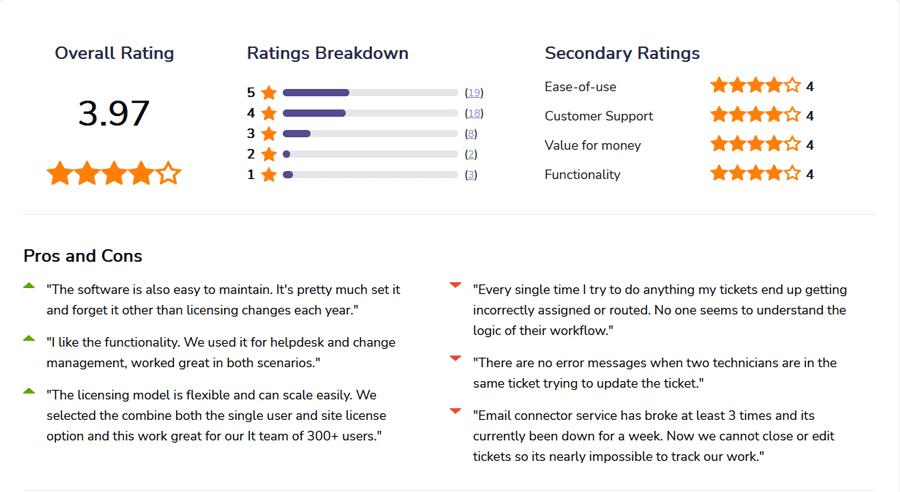
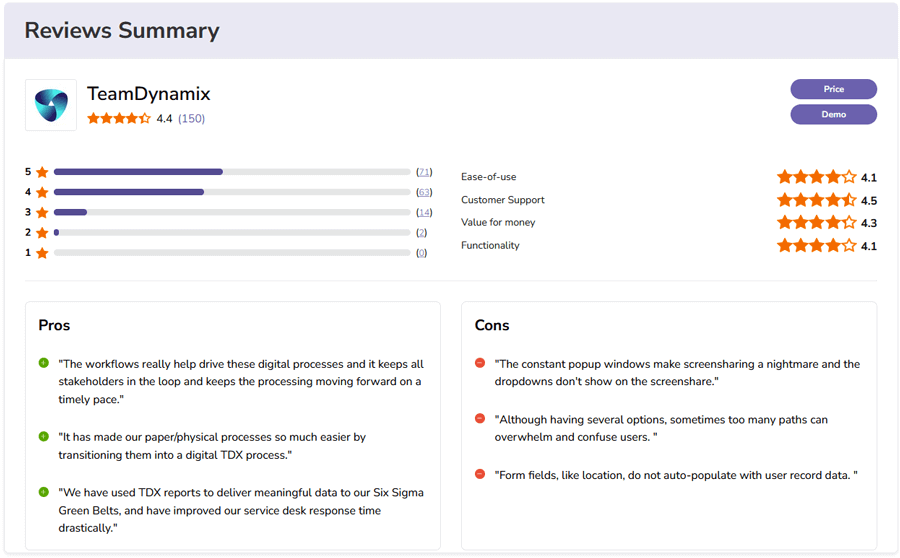
| Overall Rating* | 4.5 | 4.1 | 3.9 | 4.5 | 4.38 | 4.5 | 4.9 | 3.4 | 4.4 | 3.5 | 4.6 | 4.6 | 4.4 | 4.4 | 4.2 |
| Ease of Use* | 4.2 | 3.7 | 3.6 | 4.2 | 4 | 4.5 | 4.9 | 3.1 | 4.4 | 3.3 | 4.6 | 4.7 | 4.4 | 4.1 | 3.7 |
| Customer Support* | 4.3 | 3.9 | 3.9 | 4.3 | 4 | 4.5 | 4.9 | 3.8 | 4.3 | 4.5 | 4.6 | 4.6 | 4.5 | 4.5 | 3.3 |
| Value for Money* | 4.1 | 3.9 | 3.8 | 4.3 | 4 | 4.4 | 4.8 | 3.8 | 4.6 | 4.0 | 4.5 | 4.5 | 4.2 | 4.3 | 4.2 |
| Functionality* | 4.5 | 4 | 3.7 | 4.5 | 4.5 | 4.3 | 4.5 | 3.5 | 4.3 | 3.3 | 4.4 | 4.5 | 4.2 | 4.1 | 4.0 |
| Security vulnerabilities & breaches reported by US Government as of October 2025 | 30 Security Events | 17 Security Events | 412 Security Events |
20 Security Events Atlassian Security Advisories |
68 Security Events | 2 Security Events | None | 6 Security Events | 233 Security Event | None | 283 Security Events | None | None | None | 87 Security Events |
| Location of R&D | Majority India | Majority India | Majority India | Majority India | Majority India | India | USA | France | NA | Sweden | USA & Europe | Argentina | USA | USA | France |
| Location of Customer Support | Majority outside USA | Majority outside USA | Majority India | Majority India | Majority India | India | USA | France | NA | Sweden | USA & Europe | Argentina | USA | USA | France |
| Location of Company Headquarters | USA | USA | USA | Australia | India | India | USA | France | Canada | Sweden | USA | Argentina | USA | USA | France |
*Scale From 1 to 5 & Source Software Advice
The Best Software for an IT Change Management Support Team
-
ServiceNow
A powerful enterprise IT Change Management platform with deep automation, strong CMDB impact analysis, and highly scalable workflows.
-
BMC Helix
BMC Helix delivers a powerful AI-based IT change management solution that helps organizations identify, manage, and implement IT changes effectively, reducing outages and improving service quality.
-
Ivanti Neurons for ITSM
A flexible ITIL-aligned change management platform with strong automation, risk analysis, and customizable workflows for mid-market and enterprise environments.
-
Jira Service Management
A flexible, DevOps-ready IT Change Management solution that connects changes to development pipelines, automates risk evaluation, and speeds delivery while maintaining ITIL alignment.
-
ManageEngine ServiceDesk Plus
An accessible and cost-effective ITIL-aligned change management solution ideal for mid-sized organizations looking for solid workflows without enterprise-level complexity.
-
Freshservice
A modern, easy-to-use IT Change Management solution with strong automation and fast deployment, ideal for mid-sized organizations.
-
Giva
Offers a cloud-based IT change management solution that helps organizations streamline and automate the change process, ensuring minimized disruption and compliance with regulatory standards.
-
EasyVista
A flexible and user-friendly ITIL-aligned change management platform ideal for mid-market organizations needing structured workflows without heavy enterprise complexity.
-
OpenText™ Core Service Management (powered by SMAX)
An enterprise-grade, AI-enabled platform that helps organizations automate and control complex IT change management processes.
-
IFS assyst IT Service Management
IFS Assyst offers an enterprise-level IT change management solution that supports streamlined, standardized change processes, helping organizations control risk and comply with regulatory requirements.
-
SolarWinds Service Desk
A user-friendly and scalable ITIL-aligned platform that helps organizations streamline and automate their IT change management processes.
-
InvGate Service Desk
An intuitive and ITIL-aligned platform that helps organizations streamline and automate their change management processes.
-
Serviceaide ITSM
a scalable and ITIL-aligned platform that helps organizations streamline, automate, and control their IT change management processes.
-
TeamDynamix
A no-code, ITIL-aligned platform that helps organizations streamline and automate their IT change management processes.
-
iTop
A no-code, ITIL-aligned platform that helps organizations streamline and automate their IT change management processes.
ServiceNow
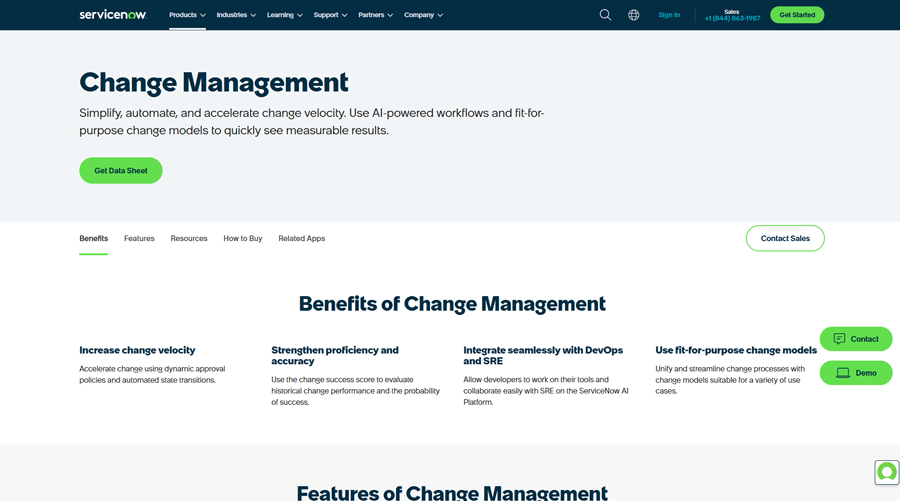
ServiceNow provides one of the most advanced IT Change Management solutions on the market, built into its broader Now Platform and IT Service Management suite. It helps organizations reduce risk, standardize change workflows, and manage approvals with strong automation and built-in intelligence. Its change module includes features such as change risk scoring, scheduling, change collision detection, CAB management, and complete visibility across services and infrastructure.
ServiceNow Pros
- Deep Change Management Capabilities: Full ITIL-aligned workflows, including standard, normal, and emergency changes, automated assessments, multi-stage approvals, and change collision detection.
- Change Automation & Intelligence: Predictive intelligence and automated risk scoring help teams evaluate changes faster and with more accuracy.
- Strong Integration with CMDB: Tight connection with the ServiceNow CMDB improves impact analysis and helps teams understand upstream and downstream dependencies.
- Change Calendar & CAB Workbench: Built-in tools help schedule changes, identify conflicts, and plan approvals visually.
- Scalable for Large Enterprises: Designed to support high-volume environments, complex change models, and enterprise governance structures.
- Extensive Ecosystem & Integrations: Connects with DevOps pipelines, monitoring tools, ITOM, discovery, and third-party systems for end-to-end change automation.
ServiceNow Cons
- High Total Cost of Ownership: Licensing, implementation, and ongoing administration are often expensive for small and mid-sized organizations.
- Complex Setup: Configuring the platform, including advanced change workflows, usually requires dedicated ServiceNow administrators or partners.
- Performance Variability: Some customers report slowness in large instances or heavily customized environments.
- Customization Requires Expertise: Deep workflow or scripting changes often require specialized skills (JavaScript, Flow Designer, or ServiceNow development experience).
- Support Delays: Some organizations note slower resolution times or the need to escalate support tickets for complex issues.
Other ServiceNow Company and Location Information
- Company Ownership: Public company (NYSE: NOW).
- Headquarters: USA based
- R&D: Primarily in India, with additional engineering hubs in the U.S. and Europe
- Technical Support: Majority outside of USA
- Dublin, Ireland
- Staines, England
- Amsterdam, Netherlands
- Hyderabad, India
- Tokyo, Japan
- Sydney, Australia
Pricing, Videos, Trial and Reviews Information for ServiceNow
- Pricing not available. Must speak with a partner reseller or sales person.
- Features & Demo Videos
- Trial account not available from website.
- Independent Customer Reviews
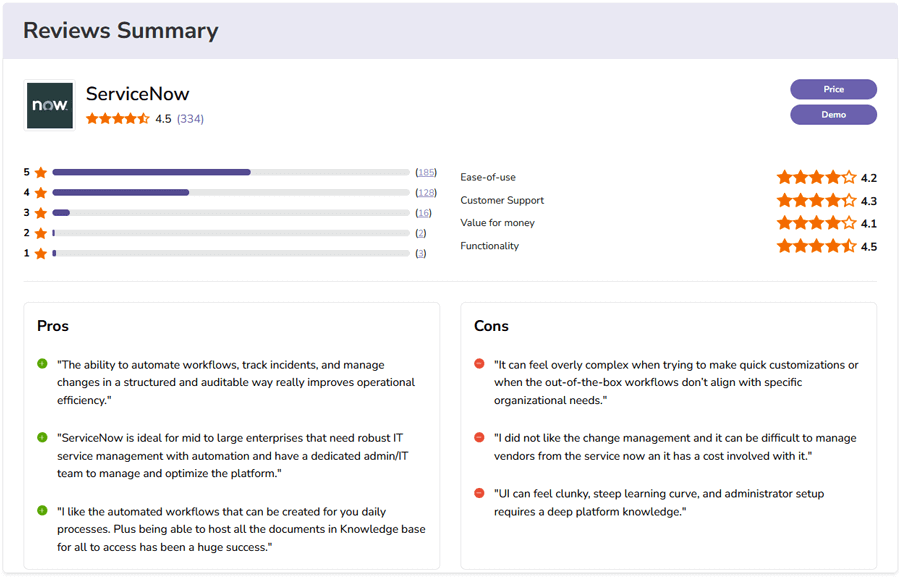
Independent Ratings and Reviews for ServiceNow from Software Advice
BMC Helix
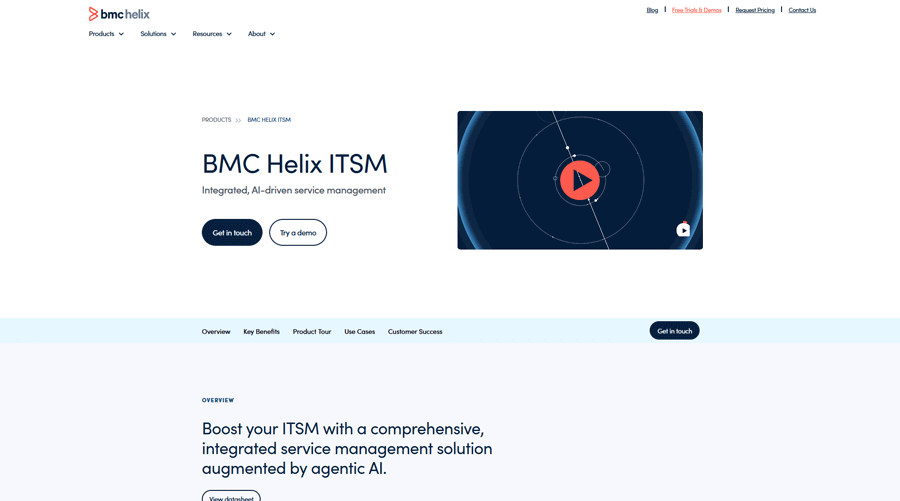
BMC Helix offers an enterprise-grade IT Change Management solution built into its broader ITSM platform. It's designed to support complex change workflows, manage risk, and improve coordination across large IT environments. The change module includes impact analysis through the CMDB, automated risk calculations, multi-level approvals, scheduling, blackout windows, and collision detection. It's a strong option for organizations that need strict governance and consistent, ITIL-aligned change processes.
BMC Helix Pros
- Robust Change Management Features: Supports all ITIL-aligned change types (standard, normal, emergency), built-in change templates, automated approval routing, and strong process modeling.
- Risk & Impact Analysis: Uses the Helix CMDB to assess upstream and downstream impacts, calculate risk levels, and identify potential conflicts before deployment.
- Change Calendar & Collision Detection: Visual scheduling tools help teams plan, spot overlaps, and coordinate changes with other operational activities.
- Flexible Deployment Options: Available in SaaS, on-premises, and hybrid models, useful for organizations with strict compliance or data-residency needs.
- Automation & AI Support: Includes automation tools and cognitive capabilities that help reduce manual steps, streamline workflows, and provide recommendations.
- Enterprise Scalability: Designed for large and distributed teams that require layered approvals, complex governance, or multiple change processes.
BMC Helix Cons
- Complex Configuration: Setting up change workflows, automation, CMDB relationships, and advanced approvals often requires experienced administrators or consulting partners.
- Steep Learning Curve: The interface and depth of features can be challenging for non-technical users without structured training.
- High Total Cost of Ownership: Licensing, implementation, and specialized support resources can make Helix one of the more expensive enterprise platforms.
- UI Modernization Still Ongoing: While improved in recent releases, some areas feel less intuitive compared to newer cloud-native ITSM tools.
- Inconsistent Support Experience: Customers report varying levels of responsiveness and quality depending on region and issue severity.
- Update Disruption: Frequent platform updates can require re-testing or adjustments to customizations, especially for on-premises deployments.
Other BMC Helix Company and Location Information
- Company Ownership: Private-owned by KKR & Co. since 2018, with ongoing plans for re-listing or strategic sale.
- Headquarters: USA
- R&D and Technical Support: Primarily located in India and other offshore centers; limited support presence remains in the United States.
Pricing, Videos, Trial and Reviews Information for BMC Helix
- Pricing not available. Must speak with a partner reseller or sales person.
- Features & Demo Videos
- Trial not available from their site.
- Independent Customer Reviews
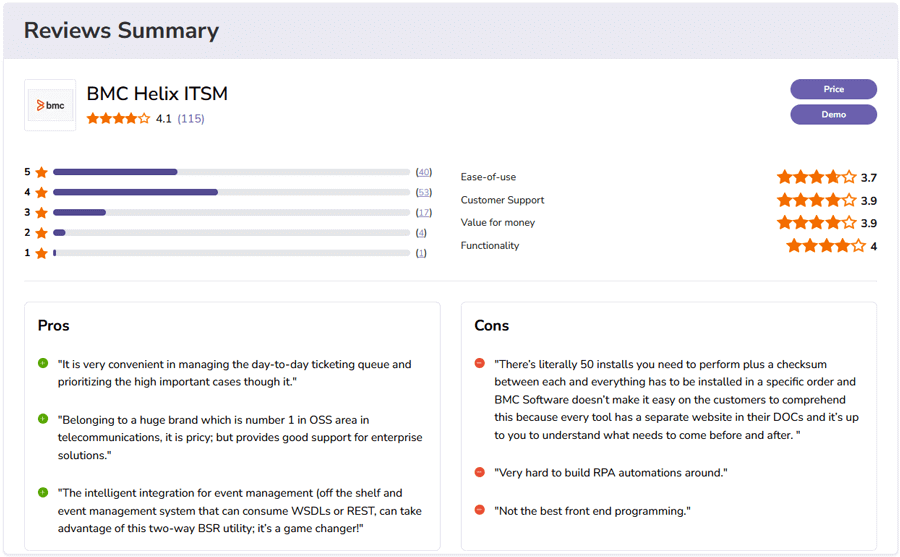
Independent Ratings and Reviews for BMC Helix from Software Advice
Ivanti Neurons for ITSM
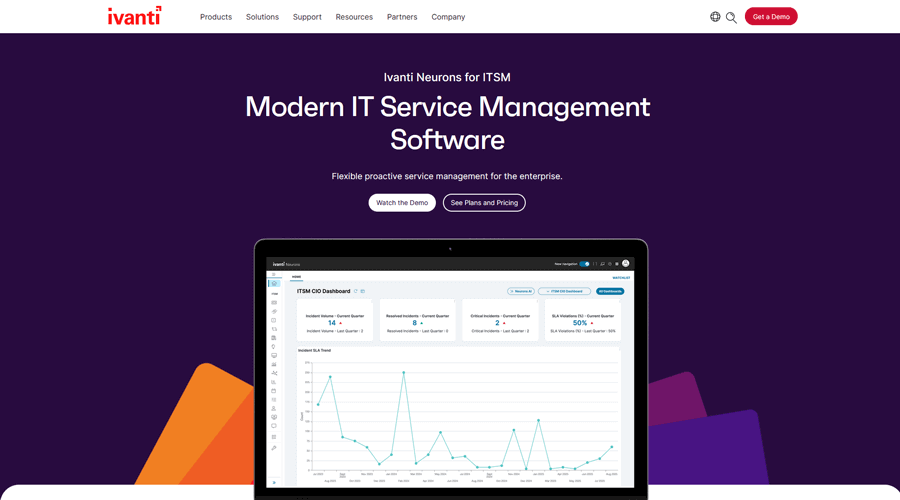
Ivanti Neurons for ITSM provides a strong ITIL-aligned change management module designed to help organizations control risk, standardize approvals, and automate change workflows. The platform supports the full lifecycle of change requests, from submission and evaluation to scheduling, rollout, and review. With Ivanti's Neurons automation engine, teams can reduce manual work, improve consistency, and maintain tighter control across distributed environments.
Ivanti Neurons for ITSM Pros
- Full ITIL Change Support: Handles standard, normal, and emergency changes with structured workflows, templates, automated routing, and configurable approval chains.
- Risk & Impact Evaluation: Integrates with the Ivanti CMDB to assess service dependencies, identify potential conflicts, and guide decision-making.
- Strong Automation Through Neurons: The Neurons engine can automate routine steps, enforce governance rules, and help teams accelerate low-risk changes.
- Change Calendar & Scheduling Tools: Visual dashboards help plan changes, identify overlaps, and coordinate maintenance windows.
- Good Customization Options: Workflows, approvals, forms, and fields can be tailored to match organizational needs.
- Solid Mid-Market Fit: Designed to scale without the overhead of heavier enterprise platforms, while still offering advanced capabilities.
Ivanti Neurons for ITSM Cons
- Complexity for New Admins: Deep customization, CMDB dependencies, and workflow scripting may require specialized skills or training.
- Licensing & Add-Ons Can Be Costly: The total cost can rise when adding advanced modules (CMDB, automation, discovery).
- Mixed Support Experience: Some customers report slower response times or variability across regions.
- Performance Variability: Larger or heavily customized environments may see occasional delays.
- Mobile Limitations: The mobile experience is functional but does not include all change-related capabilities found in the desktop UI.
- Platform Consolidation Challenges: Ongoing integration of legacy products (Cherwell, HEAT, LANDESK) can create occasional inconsistencies in the admin experience.
Other Ivanti Neurons for ITSM Company and Location Information
- Company Ownership: Private-backed by Clearlake Capital and TA Associates, following a series of mergers including LANDESK, HEAT Software, and Cherwell Software.
- Headquarters: USA
- R&D and Technical Support: Mostly centered in Hyderabad, India, with regional offices across North America and Europe..
Pricing, Videos, Trial and Reviews Information for Ivanti Neurons for ITSM
- Pricing not available. Must speak with a partner reseller or sales person.
- Features & Demo Videos
- Trial account not available from web site.
- Independent Customer Reviews
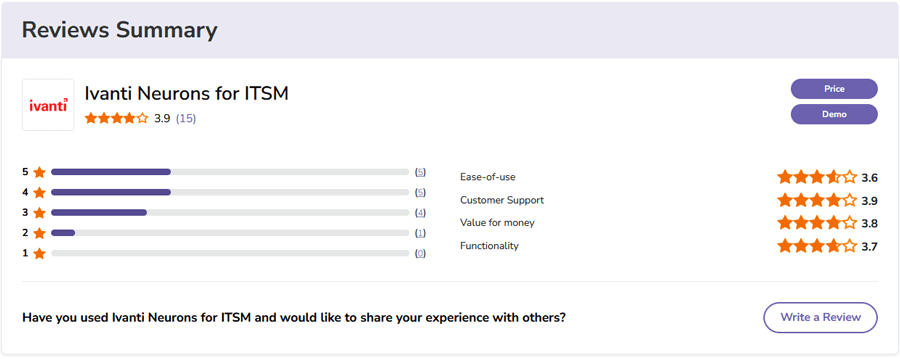
Independent Ratings and Reviews for Ivanti Neurons for ITSM from Software Advice
Jira Service Management
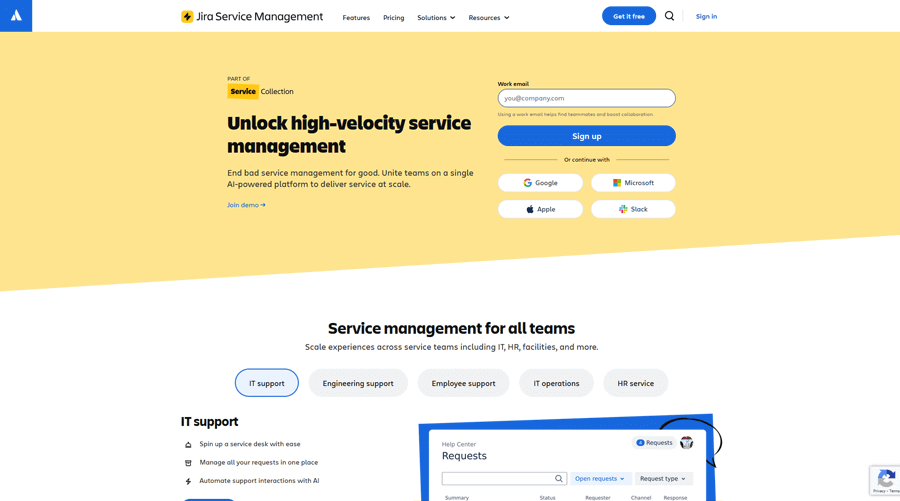
Jira Service Management provides a modern, flexible IT Change Management solution built for both IT and DevOps teams. It connects change requests directly to development pipelines, issues, deployments, and service dependencies, giving teams better visibility and faster delivery. With native integrations to Jira Software, Bitbucket, GitHub, and CI/CD tools, it supports automated risk assessment, streamlined approvals, and continuous delivery workflows while still maintaining ITIL-aligned governance.
Jira Service Management Pros
- Designed for DevOps + ITIL: Links change requests to deployments, code commits, and release pipelines, supporting fast-moving teams without sacrificing control.
- Automated Risk Assessment: Uses deployment data and past change history to classify changes and simplify approvals for low-risk changes.
- Flexible, No-Code Workflows: Administrators can build or modify change workflows quickly using Jira's visual workflow designer.
- Strong Integrations: Connects natively with Jira Software, Confluence, Bitbucket, GitHub, Jenkins, and other CI/CD tools for end-to-end visibility.
- Change Calendar & Scheduling: Includes visual calendars for planning releases and understanding impacts across teams.
- Great Collaboration Experience: Comments, watchers, approvals, and shared artifacts keep IT, development, and product teams aligned.
- Scales Across Teams: Works well for mid-sized organizations and enterprises that want both faster delivery and governance.
Jira Service Management Cons
- Advanced Setup Can Be Complex: Configuring sophisticated change workflows, custom automation, or approvals may require experienced Jira admins.
- Limited Out-of-the-Box ITIL Depth: Strong for DevOps-style change, but some enterprise change features (e.g., collision detection, deep CMDB analysis) require add-ons.
- Costs Can Add Up: Pricing can increase significantly when adding premium tiers, user licenses, and marketplace apps.
- Performance Variability: Large instances, heavy automation, or many integrations may experience slowdowns.
- Customization Requires Know-How: Workflow scripting, advanced rules, and integrations sometimes require technical skills.
- Mobile Limitations: The mobile app supports viewing and basic updates, but lacks full change-administration capabilities.
- Support Feedback Varies: Some customers report slow or inconsistent support resolution depending on region and queue volume.
Other Jira Service Management Company and Location Information
- Company Ownership: Public company, Atlassian Corporation (NASDAQ: TEAM)
- Headquarters: Sydney, Australia
- R&D and Technical Support: Primarily in Bengaluru (India), Sydney (Australia), and Austin (Texas, USA)
Pricing, Videos, Trial and Reviews Information for Jira Service Management
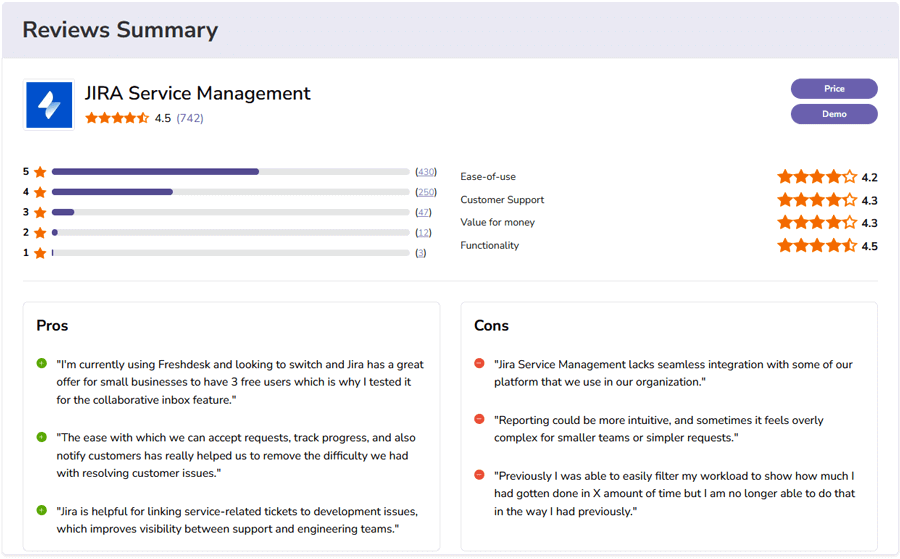
Independent Ratings and Reviews for Jira Service Management from Software Advice
ManageEngine ServiceDesk Plus
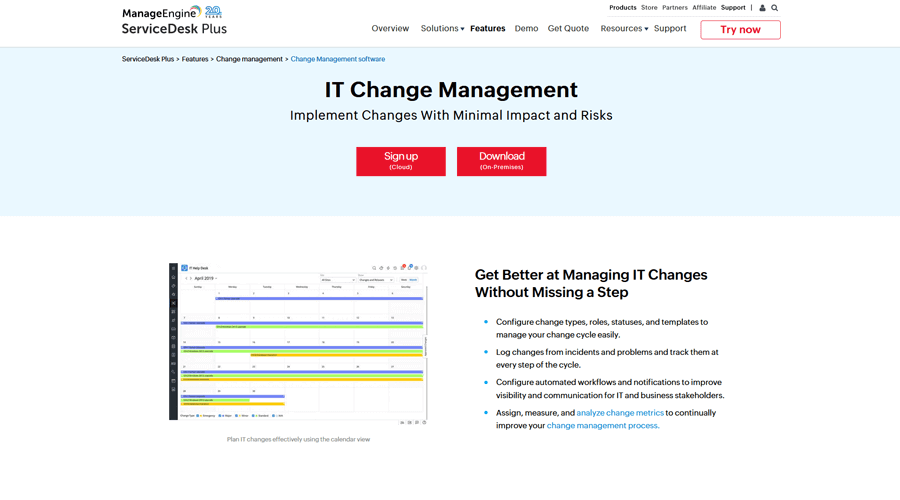
ManageEngine ServiceDesk Plus provides a structured, ITIL-aligned change management module designed to help organizations plan, approve, and implement changes with better control and reduced risk. It supports end-to-end change workflows, from submission and impact analysis to CAB approvals, rollout, and closure. The platform is popular with mid-sized organizations for its balance of features, usability, and affordability compared to larger enterprise tools.
ManageEngine ServiceDesk Plus Pros
- Full ITIL Change Workflow: Supports standard, normal, and emergency changes with predefined templates, multi-stage approvals, and task-level assignments.
- Change Advisory Board (CAB) Support: Built-in options to configure CAB members, schedule meetings, and review change details in a structured format.
- Change Calendar & Scheduling: Visual calendars help teams identify conflicts, plan maintenance windows, and coordinate releases.
- Simple and User-Friendly: The UI is straightforward and easier to adopt than many enterprise platforms.
- Good Automation Capabilities: Workflow automation, triggers, and notifications streamline routine change steps.
- Strong Integration Across ManageEngine: Works smoothly with CMDB, asset management, discovery, and incident/problem modules.
- Cost-Effective: Provides robust capabilities without the high price tag of enterprise systems like ServiceNow or BMC Helix.
ManageEngine ServiceDesk Plus Cons
- Limited Depth for Complex Enterprises: While capable, the change module lacks the advanced impact simulation, collision detection, and approval intelligence found in higher-end tools.
- Customization Can Require Technical Skills: Editing workflow logic, scripting, or custom forms may need admin expertise.
- Performance Variability: On-premises deployments, in particular, can experience slowdowns depending on infrastructure size.
- Mobile App Gaps: The mobile app supports basic updates but not full change administration.
- Mixed Support Feedback: Some organizations report slower or less consistent response times.
- Scaling Beyond Mid-Market Can Be Challenging: Larger enterprises often outgrow the platform as processes become more complex.
Other ManageEngine ServiceDesk Plus Company and Location Information
- Company Ownership: Private owned by Zoho Corp.
- Headquarters: India
- R&D and Technical Support: Renigunta and Tenkasi, India.
- Datacenters: Mumbai and Chennai, India
Pricing, Videos, Trial and Reviews Information for ManageEngine ServiceDesk Plus
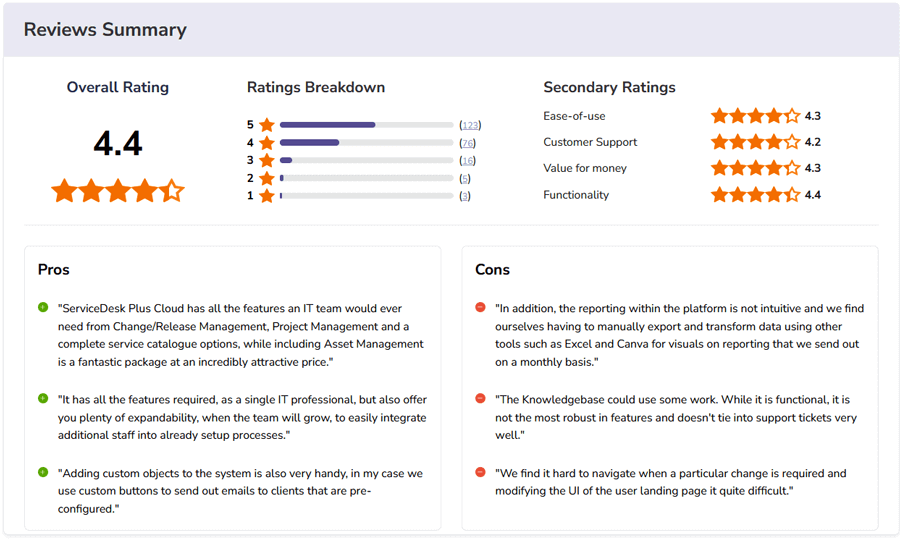
Independent Ratings and Reviews for ManageEngine ServiceDesk Plus from Software Advice
Freshservice
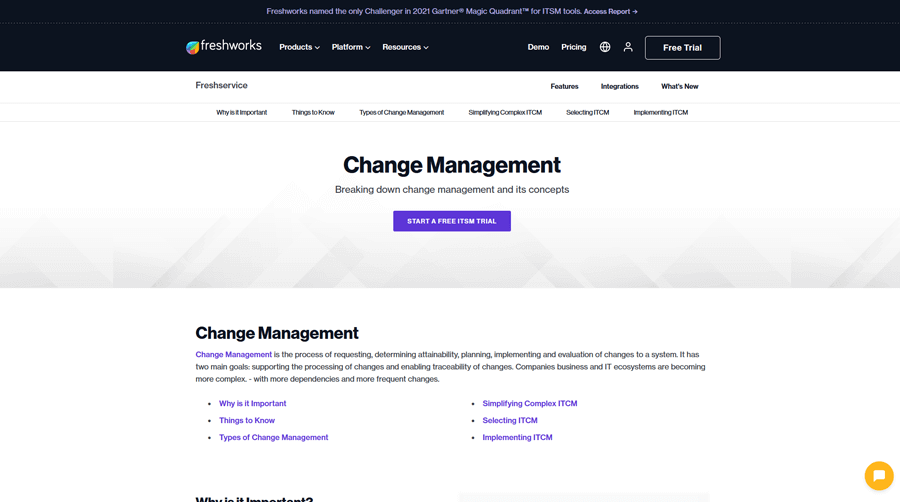
Freshservice provides an ITIL-aligned Change Management module designed to help IT teams plan, approve, schedule, and deploy changes with fewer disruptions. Known for its clean interface and quick setup, it is well suited for organizations that want structured change workflows without the heavy complexity of traditional enterprise ITSM platforms. Freshservice supports change templates, CAB approvals, custom workflows, impact analysis, automation rules, and visual change calendars, helping teams move changes through the lifecycle efficiently.
Freshservice Pros
- Simple and Easy to Use: The UI is clean and intuitive, making change workflows accessible even to teams with limited ITSM experience.
- Full ITIL Change Support: Includes standard, normal, and emergency changes, with configurable templates and multi-level approval paths.
- Automated Workflows: Workflow automation, approvals, task assignments, and notifications help reduce manual coordination.
- Change Calendar and Scheduling: Built-in visual calendars make it easy to plan rollouts, identify conflicts, and coordinate with other teams.
- Strong Integration Options: Connects with monitoring, discovery, asset management, and Freshworks ecosystem apps.
- Fast Deployment: Because it's lightweight and cloud-native, teams can implement and adopt Change Management quickly.
- Scalable for Growing Teams: Works well for mid-market organizations and can scale up as processes mature.
Freshservice Cons
- Limited Advanced Enterprise Features: Freshservice lacks deep CMDB-driven impact analysis and collision detection found in platforms like ServiceNow or BMC Helix.
- Customization Has Limits: Basic workflow customization is easy, but more advanced changes still require technical know-how.
- Potential Cost Escalation: Costs can rise when adding premium modules or a large number of agents.
- Performance Variability: Some users report slowdowns during heavy usage or when running complex automation rules.
- Mobile App Gaps: The mobile experience supports basic updates but does not fully match the desktop feature set.
- Mixed Support Feedback: Support responsiveness and resolution quality can vary depending on region and plan level.
Other Freshservice Company and Location Information
- Company Ownership: Freshworks, Inc. (NASDAQ: FRSH).
- Headquarters: Chennai, India
- R&D and Technical Support: 88% of all employees are located in Bangalore and Chennai, India.
Pricing, Videos, Trial and Reviews Information for Freshservice

Independent Ratings and Reviews for Freshservice from Software Advice
Giva
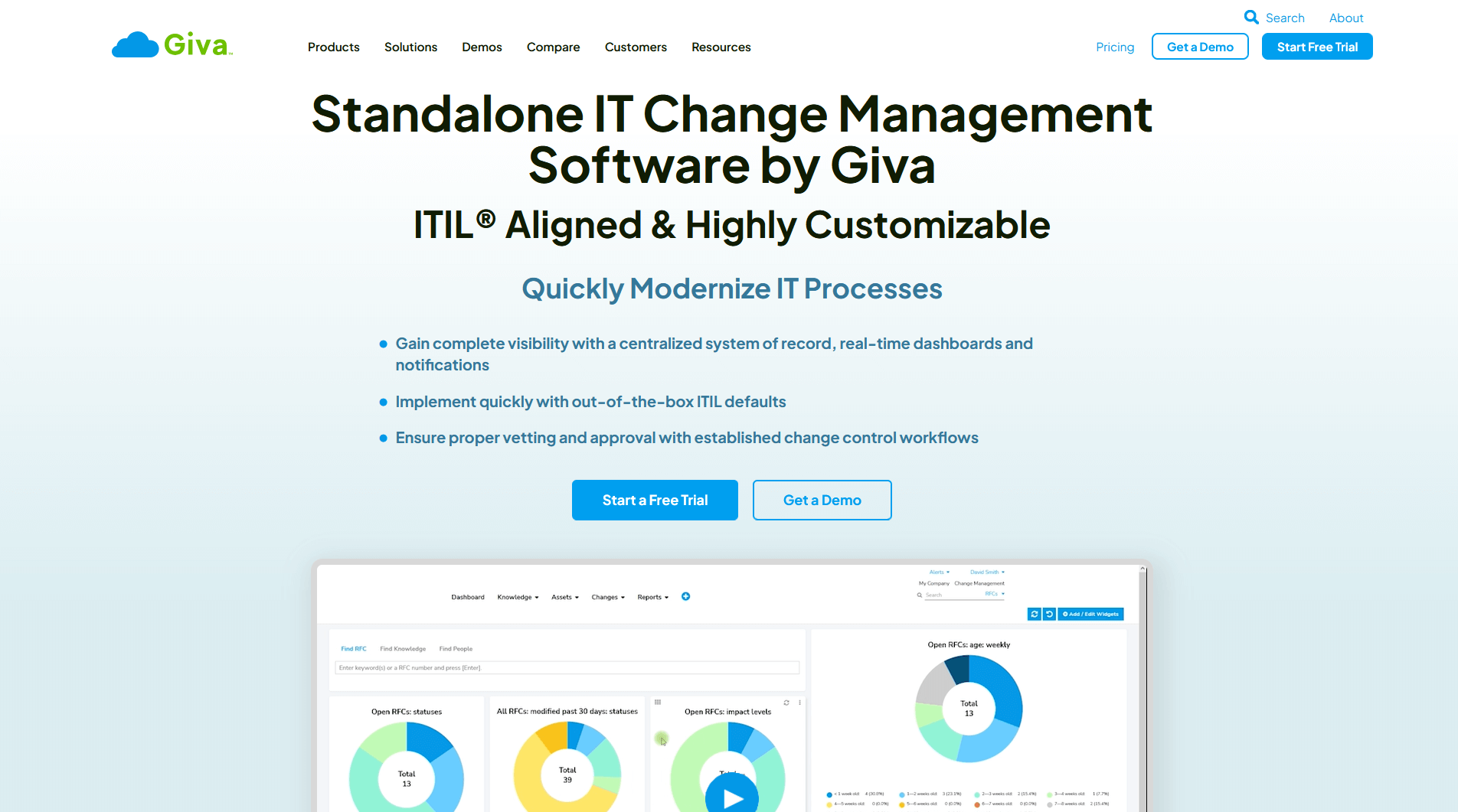
Giva is a cloud-based IT change management solution, facilitating the swift execution of IT changes with minimal disruptions. It focuses on simplifying complex processes, providing detailed tracking, and maintaining regulatory compliance.
Giva Pros
- Standalone IT Change Management: Many competitors offer IT Change Management as only part of their ITSM platform. All ITSM modules or at least a minimum platform must be purchased. Giva offers a standalone IT Change Management app in the cloud that does not have be use with any other ITSM modules. Giva also provides seamless integration with all the other ITIL compliant modules, if desired.
- Intuitive User Interface: Giva's IT change management platform stands out for its remarkably user-friendly design, offering an intuitive, visually appealing, and easy-to-navigate interface. This streamlines user adoption and reduces the learning curve, resulting in increased productivity and operational efficiency. Giva's minimalist and clean look fosters effortless navigation and usage, ensuring swift deployment in a matter of days.
- Comprehensive Feature Set: Giva's IT change management solution provides a complete suite of outstanding features, including change planning, impact assessment, approval process, tracking/reporting, risk management and more. These features fully support the intricate lifecycle of IT change management, offering a comprehensive end-to-end solution. Giva also includes exciting beta features involving artificial intelligence (AI).
- Extensive Customizability: The application offers exceptional customizability without the need for programming or consultants. Users can easily fine-tune the interface and dashboards to match their preferences and specific business requirements. This high degree of customization enhances usability and ensures seamless alignment with the organization's unique workflows.
- Advanced Reporting Capabilities: Giva excels in reporting and analytics, setting it apart from competitors. Users can effortlessly create, save, share, and schedule a wide range of customizable reports. This empowers organizations to track key performance indicators (KPIs), gain real-time analytics, and access vital performance metrics for strategic IT planning and informed decision-making.
- Superior Customer Support: Giva is renowned for its exceptional customer service. Users consistently praise the responsiveness and expertise of the support team, which promptly addresses "How To" questions and resolves issues. The support team's swift response and efficient query resolution contribute to enhanced customer satisfaction.
- Robust Security and Compliance: Giva prioritizes data security and complies with HIPAA requirements, making it a reliable choice for healthcare organizations and businesses with stringent data protection needs. Giva takes data security seriously, employing robust measures such as encryption, intrusion detection systems, specialized hardware-based firewalls, and routine security audits for SSAE 18 SCO 2 Type 2 compliance. Moreover, all customers receive full HIPAA compliance, and Giva readily signs business associate agreements (BAAs).
- Commitment to Continuous Improvement & Innovation: Giva's IT change management application exemplifies a dedication to continuous improvement and innovation. The platform is consistently updated and enhanced using Agile software development methodologies to meet evolving customer needs. New releases are launched approximately every three weeks, reflecting Giva's unwavering commitment to customer satisfaction, and delivering a top-quality solution that keeps organizations ahead in the dynamic digital landscape.
Giva Cons
- Limited Market Awareness: Giva may have lower general market awareness and brand recognition compared to larger players in the industry such as ServiceNow, BMC, Freshservice, Atlassian Jira, and ManageEngine. This could be attributed to various factors, including limited marketing efforts and a niche focus on healthcare and high-security sectors.
- Pricing: Giva's pricing may be higher compared to some less feature-rich IT change management solutions available in the market. However, Giva's wealth of features, top-notch support, and superior customizability justify the investment, particularly for organizations that prioritize efficient and reliable IT service management.
- Lack of Multilingual Support: Currently, Giva primarily supports an English-speaking customer base. However, the platform allows for localization of customization menus in different languages, such as German or Spanish. This may pose a limitation for organizations operating in non-English speaking regions or with multilingual teams.
- Integration: While Giva IT change management integrates well with other Giva products, it may lack preconfigured integrations with popular products like Google Workspace, Slack, and Microsoft Teams. This is due to Giva's emphasis on HIPAA compliance and high-security requirements. However, the platform provides a wide variety of REST APIs for seamless integration with any third-party applications.
Overall, Giva's impressive IT change management solution offers numerous benefits, including an intuitive user interface, comprehensive features, customization options, advanced reporting capabilities, exceptional customer support, and robust security measures.
Other Giva Company and Location Information
- Company Ownership: Private company founded in 1999.
- Headquarters: USA
- R&D & Technical Support: USA
Pricing, Videos, Trial and Reviews Information for Giva
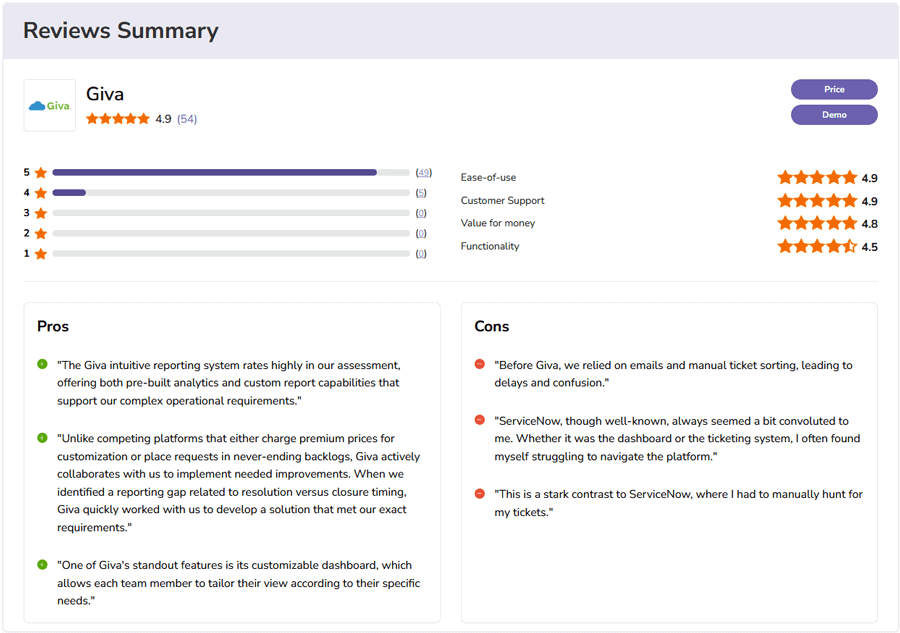
Independent Ratings and Reviews for Giva from Software Advice
EasyVista
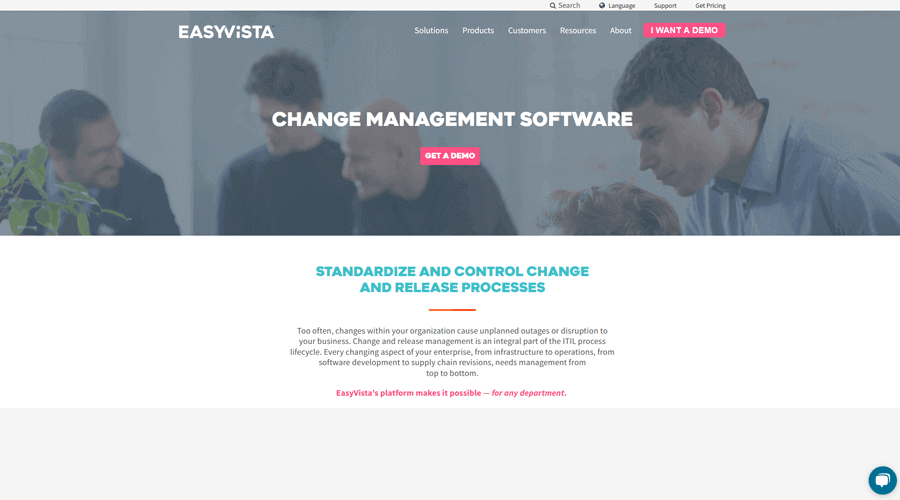
EasyVista provides an ITIL-aligned Change Management solution designed to help IT teams plan, approve, and control changes with more consistency and less risk. Built into its broader EV Service Manager platform, EasyVista supports structured workflows, impact analysis, CAB processes, automated approvals, and visual change scheduling. The system is known for balancing depth with usability, making it a good fit for organizations that need formal change governance without the overhead of heavy enterprise tools.
EasyVista Pros
- ITIL-Aligned Change Workflows: Supports the full lifecycle of standard, normal, and emergency changes with configurable templates and approval paths.
- Strong Process Automation: Automated task assignments, notifications, routing rules, and workflow steps help reduce manual work.
- Change Calendar & Scheduling Tools: Built-in visual calendars help teams plan changes, avoid conflicts, and manage blackout windows.
- CMDB Integration: Ties changes to CI relationships, improving impact evaluation and traceability.
- Clean, User-Friendly Interface: Easier to use than many traditional enterprise ITSM platforms, reducing onboarding time.
- Flexible Customization: Forms, workflows, automation rules, and approval steps can be adapted to different operational models.
- Good Mid-Market Fit: Offers solid enterprise-level structure without the complexity of heavier tools like ServiceNow or BMC Helix.
EasyVista Cons
- Limited Advanced Enterprise Features: Less sophisticated in areas such as change collision detection, advanced impact simulation, or AI-driven change risk scoring.
- Customization Requires Experience: Deep workflow modifications or scripting can require admin expertise.
- Performance Variability: Some users note slower performance during peak periods or in larger, heavily customized environments.
- Mobile Feature Gaps: Mobile capabilities are functional but don't include full change administration.
- Support Responsiveness Varies: Customer feedback indicates inconsistent support speed depending on region and issue type.
- Cost for Smaller Organizations: While less expensive than top enterprise platforms, it may still be high for small IT teams.
Other EasyVista Company and Location Information
- Company Ownership: In 2021, the private equity firms Eurazeo PME and Cathay Innovation acquired EasyVista to take the company private. The objectives of private equity financial transactions are to cut costs, increase profitability and sell EasyVista again to generate a profit for its private investors.
- Headquarters: Mostly in France
- R&D and Technical Support: Mostly in France
Pricing, Videos, Trial and Reviews Information for EasyVista
- Pricing not available. Must speak with a partner reseller or sales person.
- Features & Demo Videos
- Trial account not available from website.
- Independent Customer Reviews
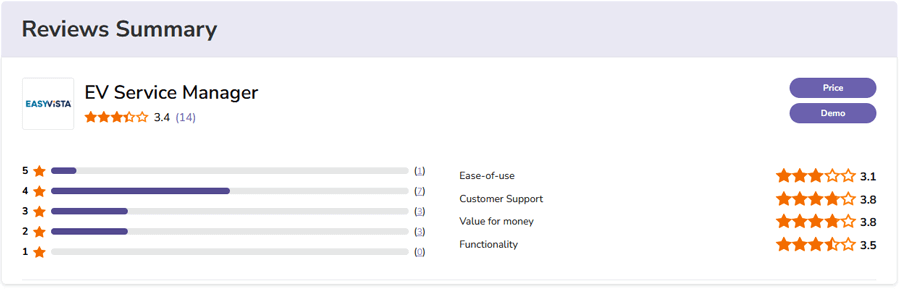
Independent Ratings and Reviews for EasyVista from Software Advice
OpenText™ Core Service Management (powered by SMAX)
OpenText Core Service Management, powered by the Smart Analytics and Experience (SMAX) engine, provides an enterprise-grade IT change management solution built to streamline the planning, approval, and rollout of changes. Designed for large and complex IT environments, it combines workflow automation, risk analysis, and machine learning–based recommendations to help organizations reduce disruption and maintain service continuity. Its integration with the broader OpenText ITOM/ITSM ecosystem makes it a strong option for enterprises seeking a unified and intelligent service management platform.
OpenText Core Service Management Pros
- Enterprise-Ready Platform: Designed to support large, distributed IT environments and high change volumes.
- Intelligent Automation: Automation and machine-learning features help speed up change handling and reduce manual effort.
- Risk and Impact Analysis: Built-in tools provide visibility into potential risks and dependencies before changes go live.
- Strong Integrations: Connects well with OpenText's ITOM suite, legacy Micro Focus and HP SMAX components, and various enterprise systems.
- Customizable Workflows: Flexible configuration options to align change processes with internal governance requirements.
- Comprehensive Feature Set: Includes full lifecycle change tracking, approvals, scheduling, and post-change review.
OpenText Core Service Management Cons
- Pricing for Enterprise: Cost may be too high for small and mid-size organizations.
- Deployment Complexity: Large implementations can require significant planning and expertise.
- Performance Variability: Some users report slowdowns during heavy system load or complex automation.
- Advanced Configuration Needs Skills: Deep customizations often require technical knowledge or vendor services.
- Mobile Limitations: Mobile capabilities may not include the full functionality available on desktop.
- Support Response Times: Users sometimes report delays in receiving support, especially given the product's legacy transitions through Micro Focus and HP.
Other OpenText Core Service Management Company and Location Information
- Company Ownership: Public (NASDAQ:OTEX).
- Headquarters: Canada
- R&D and Technical Support: Global (product innovation distributed across acquired OpenText business units, including legacy Micro Focus and HP Enterprise teams)
Pricing, Videos, Trial and Reviews Information for OpenText Core Service Management
- Pricing not available. Must speak with a partner reseller or sales person.
- Features & Demo Videos
- Create Trial Account
- Independent Customer Reviews
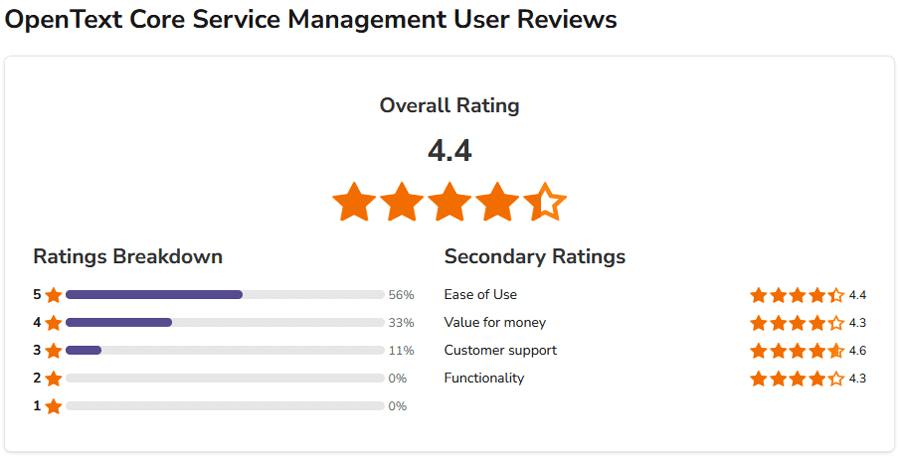
Independent Ratings and Reviews for OpenText Core Service Management from Software Advice
IFS assyst IT Service Management
IFS assyst provides an ITIL-aligned change management solution built to help organizations plan, control, and track changes across their IT environments with greater accuracy and lower risk. Its guided workflows, automation features, and integrated CMDB support more consistent decision-making and reduce service disruption. As part of the broader IFS assyst ITSM platform, the change module ties seamlessly into incident, problem, and asset management for a unified service management experience.
IFS assyst IT Service Management Pros
- Comprehensive Feature Set: Offers full lifecycle change management, including logging, assessment, approvals, scheduling, and post-implementation review.
- Enterprise Scalability: Well-suited for mid-size and large organizations with complex change environments.
- Strong Integrations: Integrates with major enterprise systems and the broader IFS assyst ITSM suite.
- User-Friendly Interface: Designed with a modern UI that simplifies managing and reviewing changes.
- Configurable Workflows: Supports flexible configuration so teams can tailor change processes to their internal governance models.
- Automation Capabilities: Automates tasks, notifications, and approval routing to improve efficiency.
IFS assyst IT Service Management Cons
- Cost for Smaller Teams: Licensing costs may be too high for small organizations.
- Setup Complexity: Initial configuration and workflow design may require time and expertise.
- Performance at Scale: Users occasionally report slowdowns during heavy system activity.
- Advanced Customization Requires Skills: Deeper custom workflows or integrations may require technical knowledge.
- Mobile Feature Gaps: The mobile app may not offer the full set of desktop capabilities.
- Support Responsiveness: Some customers note variability in response times for technical support.
Other IFS assyst IT Service Management Company and Location Information
- Company Ownership: Public (XSTO: IFS).
- Headquarters: Sweden
- R&D and Technical Support: Sweden and regional offices across EMEA, North America, and APAC
Pricing, Videos, Trial and Reviews Information for IFS assyst IT Service Management
- Pricing not available. Must speak with a partner reseller or sales person.
- Features & Demo Videos
- Trial account not available from website.
- No independent customer reviews available on Software Advice website.
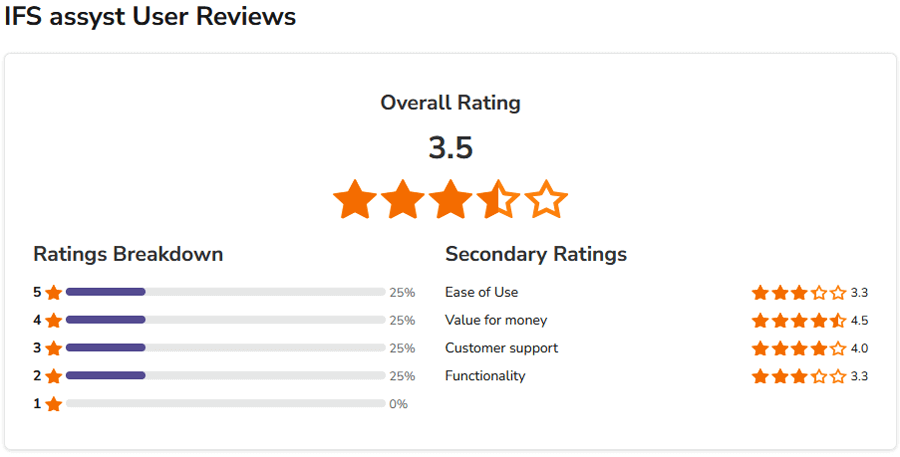
Independent Ratings and Reviews for IFS assyst IT Service Management from Software Advice
SolarWinds Service Desk
SolarWinds Service Desk offers an ITIL-aligned change management solution designed to help organizations plan, evaluate, approve, and execute changes with less risk and greater control. Its structured workflows, automation capabilities, and clear visibility into change timelines support more predictable change outcomes and improved IT stability. As part of the broader SolarWinds Service Desk platform, it also integrates easily with incident, problem, and asset management for a unified ITSM experience.
SolarWinds Service Desk Pros
- User-Friendly Interface: Clean, intuitive UI makes it easy for teams to submit, track, and manage change requests.
- Comprehensive ITSM Capabilities: Offers a wide range of features that support the full change lifecycle.
- Scalable Platform: Well-suited for organizations of different sizes, including those with complex environments.
- Strong Integrations: Connects with many third-party systems and integrates tightly with other SolarWinds Service Desk modules.
- Automation: Built-in automation helps streamline approvals, notifications, and routing.
- Configurable Workflows: Change processes can be tailored to organizational policies and governance needs.
SolarWinds Service Desk Cons
- Higher Cost for Small Teams: Pricing may be a challenge for smaller organizations.
- Implementation Complexity: Some users report challenges when configuring advanced workflows or module settings.
- Performance Variability: Occasional slowdowns may occur during heavy usage periods.
- Advanced Customization Requires Skills: More complex configurations may require technical expertise.
- Mobile Feature Gaps: The mobile app may not provide the same capabilities as the desktop platform.
- Support Responsiveness: Some customers report longer-than-expected support response times.
Other SolarWinds Service Desk Company and Location Information
- Company Ownership: Publicly traded; originally taken private in 2016 by Silver Lake Partners and Thoma Bravo for $4.5B, then re-listed via IPO in 2018.SolarWinds disclosed a major 2020 supply chain breach involving its Orion platform (not Service Desk). The incident led to industry-wide security reviews and increased scrutiny of its software practices.
- Headquarters: USA
- R&D and Technical Support: USA and Europe
Pricing, Videos, Trial and Reviews Information for SolarWinds Service Desk
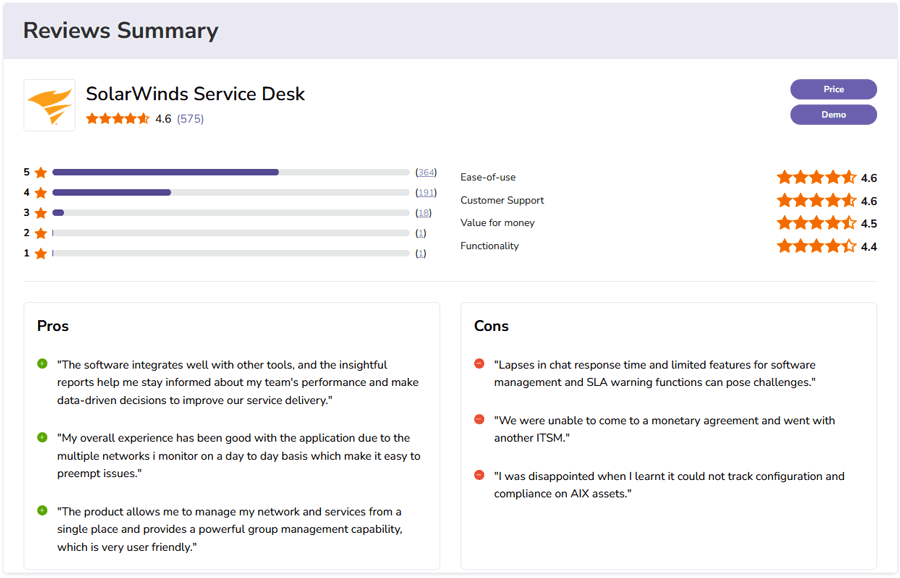
Independent Ratings and Reviews for SolarWinds Service Desk from Software Advice
InvGate Service Desk
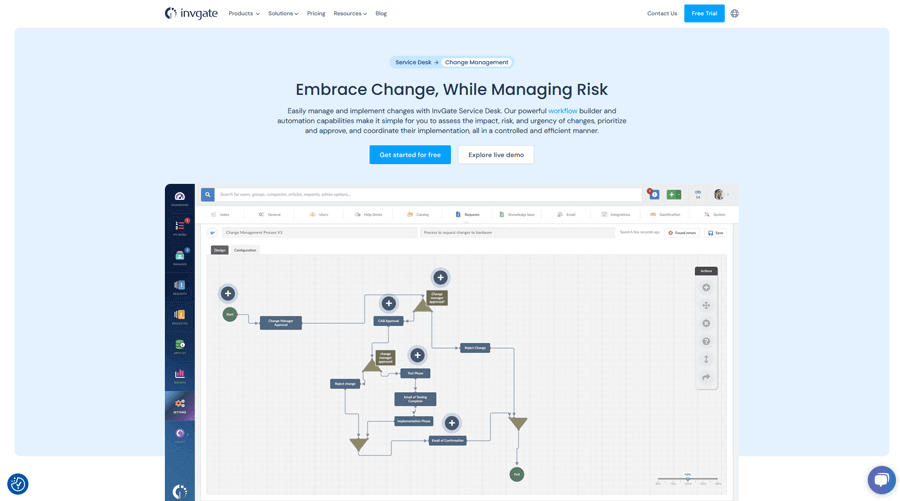
InvGate Service Management offers a focused, ITIL-aligned change management solution designed to bring consistency, visibility, and control to how organizations plan and implement changes. Its workflow-driven approach helps teams standardize requests, assess risks, coordinate approvals, automate execution steps, and track outcomes, reducing disruption and improving overall service reliability. InvGate also integrates tightly with its broader ITSM suite, making it a practical choice for organizations that want a unified platform for IT operations.
InvGate Service Desk Pros
- User-Friendly Interface: InvGate is known for its clean and intuitive UI, making it easier for teams to submit, review, and execute changes.
- ITIL-Aligned Workflows: Built-in structures support standardized change logging, impact assessment, approval routing, and post-implementation review.
- Automation: Strong automation capabilities help streamline repetitive tasks and speed up common change processes.
- Customizable: Teams can tailor workflows, forms, fields, and approval paths to align with internal policies.
- Integrated ITSM Ecosystem: Works cohesively with InvGate's incident, problem, asset, and service catalog modules.
- Scalable for Growing Environments: Designed to support organizations of different sizes and complexity levels.
InvGate Service Desk Cons
- Pricing: Licensing costs may be high for smaller organizations.
- Initial Learning Curve: Some users may need time to understand all capabilities and configuration options.
- Performance Reports: Certain users mention intermittent performance slowdowns during periods of heavy activity.
- Advanced Customization Needs Skills: More complex workflow or automation configurations may require technical expertise.
- Mobile Limitations: The mobile app may not provide full feature parity with the desktop version.
- Support Responsiveness: Customer support response times may vary during high-priority situations.
Other InvGate Service Desk Company and Location Information
- Company Ownership: Private foreign company.
- Headquarters: Buenos Aires, Argentina
- R&D and Technical Support: Buenos Aires, Argentina
Pricing, Videos, Trial and Reviews Information for InvGate Service Desk

Independent Ratings and Reviews for InvGate Service Desk from Software Advice
Serviceaide ITSM
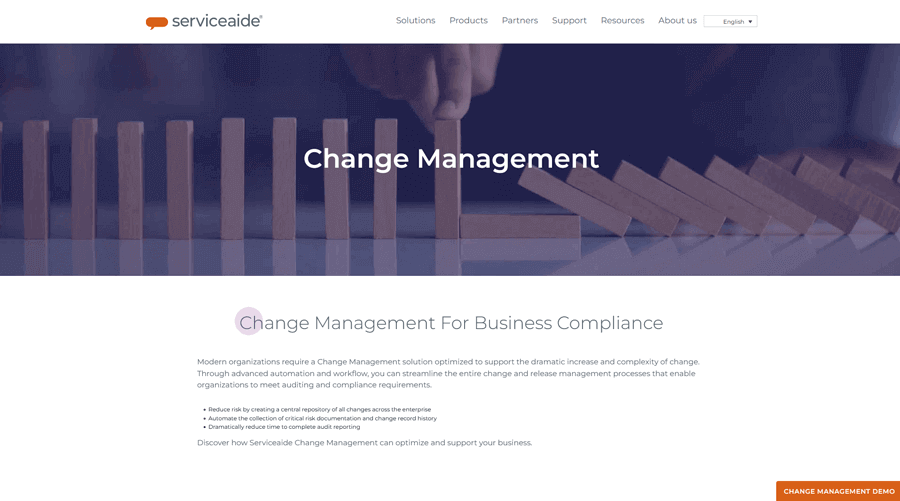
ServiceAide ITSM provides an ITIL-aligned change management solution designed to reduce service disruptions and bring structure, visibility, and approval control to every stage of the change lifecycle. The platform supports standardized processes for planning, risk assessment, scheduling, and implementation, helping IT teams increase consistency while lowering operational risk. With strong workflow automation and integration across the broader ServiceAide ecosystem, it is positioned as a practical and scalable option for organizations seeking mature ITSM capabilities.
Serviceaide ITSM Pros
- User-Friendly Interface: Its modern UI makes it easier for teams to submit, review, and manage changes.
- Scalable Platform: Built to accommodate growing organizations and more complex change environments.
- Workflow Automation: Automated routing, approvals, and notifications help accelerate change execution.
- Strong Integrations: Connects with other ITSM modules and various enterprise systems.
- Customizable Processes: Teams can tailor forms, workflows, and rules to fit internal change policies.
- Full Change Lifecycle Coverage: Supports everything from logging to post-implementation review.
Serviceaide ITSM Cons
- Pricing: May be cost-prohibitive for smaller organizations.
- Initial Setup Complexity: Configuring workflows and integrations may require time and expertise.
- Performance Variability: Some users report slowdowns during busy operational periods.
- Advanced Customization Requires Skills: More complex workflows and rules may need technical expertise.
- Mobile App Limitations: Mobile features may not fully match the desktop experience.
- Support Response Times: Some customers note that support responsiveness could be improved.
Other Serviceaide ITSM Company and Location Information
- Company Ownership: Privately held; venture-backed.
- Headquarters: USA
- R&D and Technical Support: North America and India
Pricing, Videos, Trial and Reviews Information for Serviceaide ITSM
- Must request pricing.
- Features & Demo Videos
- Trial account not available from website.
- Independent Customer Reviews
Independent Ratings and Reviews for Serviceaide ITSM from Software Advice
TeamDynamix
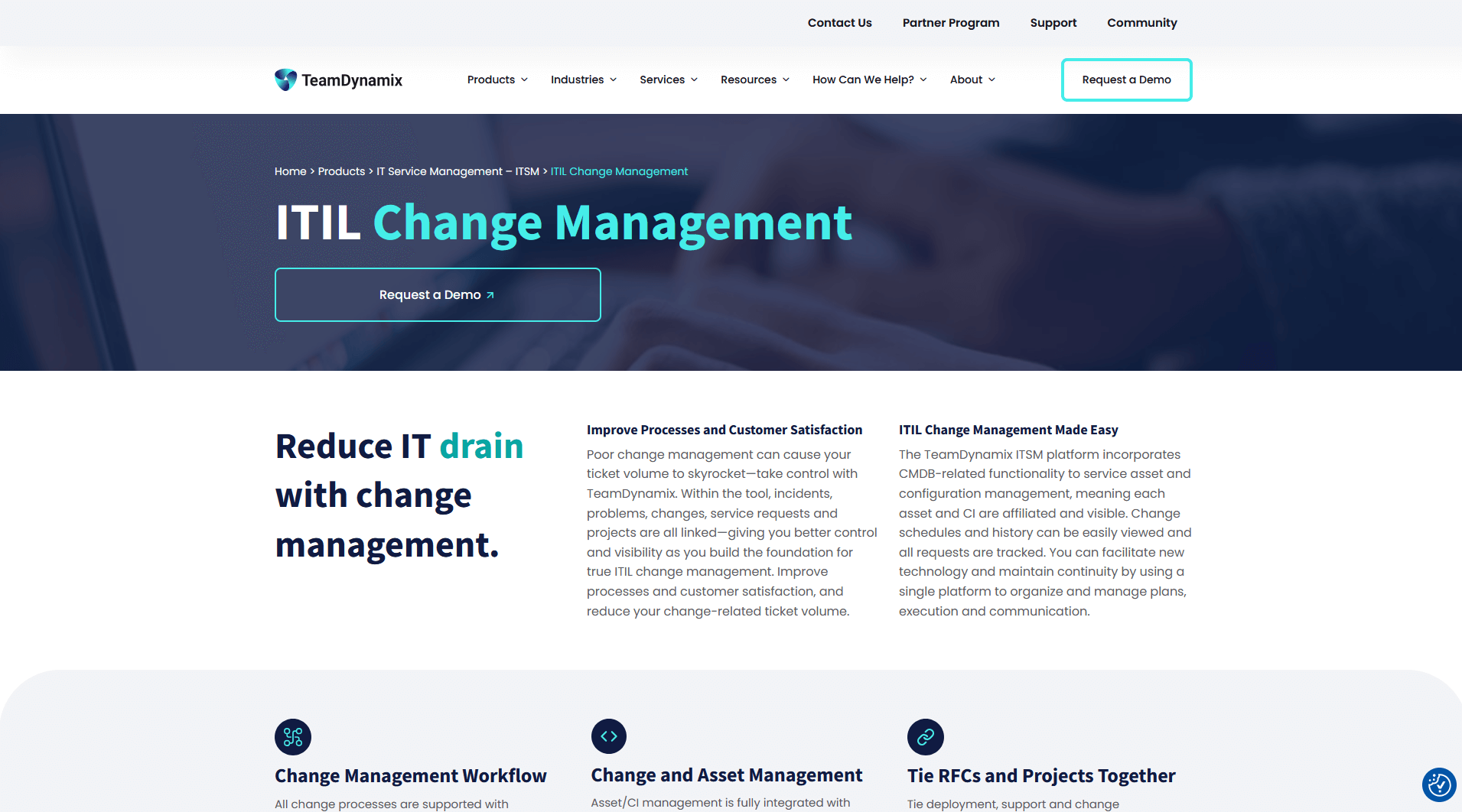
TeamDynamix offers an ITIL-aligned change management solution designed to help IT teams plan, evaluate, approve, and implement changes with greater consistency and less risk. Known for its no-code configuration approach, TeamDynamix allows organizations to build and adjust workflows without heavy technical effort, making it especially appealing for teams that want strong governance paired with easy administration. Integrated with the broader TeamDynamix ITSM and project portfolio management suite, the platform provides visibility into change impact, resource availability, and downstream effects across IT operations.
TeamDynamix Pros
- No-Code Configuration: Unlike many competitors, TeamDynamix enables workflow and form changes without scripting or development work.
- User-Friendly Interface: Clean design and intuitive navigation make it easy for teams to manage change requests.
- Integrated ITSM + PPM: Strong integration between Change Management, Incident/Problem, CMDB, and Project Portfolio Management helps coordinate resources and timelines.
- Scalable Platform: Works well for mid-sized and large organizations, especially those with distributed IT teams.
- Automation and Routing: Automates approvals, notifications, and multi-step processes to improve efficiency.
- Customizable Workflows: Organizations can tailor processes to their specific governance needs without coding.
TeamDynamix Cons
- Pricing Considerations: Cost may be higher than expected for smaller organizations or for those not using the full ITSM + PPM suite.
- Implementation Time: While no-code, larger deployments may still require planning to align workflows and integrations.
- Performance at Peak Usage: Some users report intermittent slowdowns during periods of high activity.
- Advanced Integrations May Need Expertise: Deeper or external-system integrations may require technical support.
- Mobile App Limitations: Mobile functionality may not fully mirror the desktop experience.
- Support Variability: Some customers note inconsistent support response times depending on issue severity.
Other TeamDynamix Company and Location Information
- Company Ownership: Private-acquired by Level Equity in 2022, with a focus on scaling growth and profitability.
- Headquarters: USA
- R&D and Technical Support: USA
Pricing, Videos, Trial and Reviews Information for TeamDynamix
- Pricing not available. Must speak with a partner reseller or sales person.
- Features & Demo Videos
- Trial account not available from website.
- Independent Customer Reviews
Independent Ratings and Reviews for TeamDynamix from Software Advice
iTop
iTop by Combodo is an open-source ITSM and CMDB platform that includes a structured, ITIL-aligned change management module. It is designed to help organizations standardize change requests, assess risk, coordinate approvals, and track implementation steps with clear visibility and traceability. iTop is popular among organizations that want full control over their ITSM platform, thanks to its flexible data model and the option to deploy it either on-premises (free/open-source) or in the cloud through paid SaaS tiers with enhanced support and features. This dual model makes iTop a versatile choice for teams looking for a customizable and cost-efficient change management solution.
iTop Pros
- Open-Source Option: A fully free version is available for on-premises use, providing significant cost savings.
- Flexible Deployment: Offers both self-hosted and SaaS options, giving organizations control over architecture and data residency.
- Strong Customization: Highly adaptable data model and workflows allow teams to tailor change processes to internal policies.
- Integrated CMDB: Native CMDB helps teams understand dependencies, impacts, and risks before executing changes.
- ITIL-Aligned Framework: Supports structured change logging, approval paths, scheduling, and post-implementation review.
- Active Community: As an open-source project, iTop benefits from community contributions and a wide range of available extensions.
iTop Cons
- Customization Requires Expertise: Deep configuration often requires technical skills or developer involvement.
- User Interface: Some users find the UI less modern compared to larger enterprise ITSM platforms.
- Limited Enterprise Automations: Advanced automation and workflow tools may not be as robust as those in premium ITSM suites.
- Performance Depends on Hosting: Self-hosted deployments rely on the organization's own infrastructure and tuning.
- Mobile Limitations: The mobile experience is more limited than the desktop/web interface.
- Support Availability Varies: Paid support is available for SaaS tiers, but community users rely on forums and documentation.
Other iTop Company and Location Information
- Company Ownership: Private.
- Headquarters: France
- R&D and Technical Support: France (with global community support for open-source deployments)
Pricing, Videos, Trial and Reviews Information for iTop
- Pricing not available on website.
- Features & Demo Videos
- Download Free On-premise version, must contact them for SaaS version.
- Independent Customer Reviews
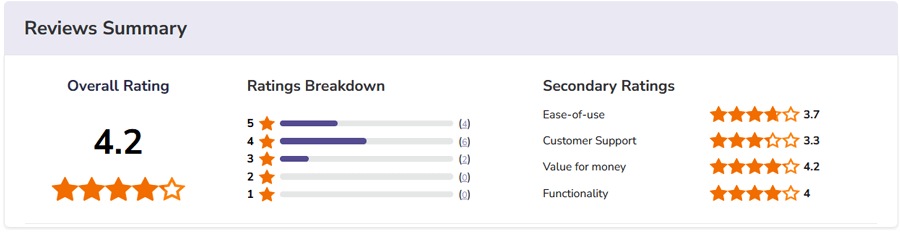
Independent Ratings and Reviews for iTop from Software Advice
What Is IT Change Management Software?
IT change management software is a structured platform that helps organizations plan, approve, implement, and monitor changes to IT systems and infrastructure with minimal disruption. It provides a standardized process for submitting change requests, evaluating risk and impact, coordinating approvals, tracking deployments, and auditing outcomes, all in one centralized system.
This type of software is essential in modern IT operations because unmanaged or ad-hoc changes can lead to outages, security issues, and compliance problems. By automating workflows, enforcing governance policies, and offering visibility into the lifecycle of each change, IT change management systems help teams reduce downtime, improve service quality, and maintain operational stability.
Enterprise-grade solutions often include features such as change calendars, approval workflows, risk scoring, impact analysis, and integration with IT service management (ITSM) systems, enabling teams to manage change with both control and efficiency.
What Are Important Features to Look for in IT Change Enablement Software?
When looking to buy an IT Change Enablement software solution, especially one based in the cloud, there are several important features you should look for. Here are the top 15 IT Change Management features:
- Change Planning: IT change management software provides comprehensive capabilities for planning and managing changes. This includes effectively tracking change requests, conducting thorough impact analysis on interconnected systems, assessing risks, and formulating well-defined implementation plans.
- Impact Assessment: A crucial feature of IT change management software is its ability to assess the potential impact of proposed changes on various systems and processes. It empowers users to evaluate the effects based on specific business rules and parameters.
- Approval and Rejection Processes: Streamlining the change management process, the software offers automated approval and rejection workflows, ensuring proper documentation, audit trails, and improved visibility into change statuses. This facilitates efficient review and decision-making before implementing changes into production environments.
- Tracking and Reporting: Organizations can leverage the software's robust tracking and reporting capabilities to generate comprehensive reports encompassing all changes made within the system over time. This invaluable insight allows for effective evaluation of the change management process's efficacy, identification of successful areas, and potential areas for improvement.
- Risk Management: IT change management software equips businesses with powerful risk analysis tools to monitor, analyze, and track risks associated with proposed changes. By monitoring key performance indicators (KPIs) and activity trends, organizations can proactively address potential risks and mitigate adverse impacts.
- Change Approval Workflow: With the ability to create and automate customizable approval workflows, IT change management software ensures changes undergo appropriate review and approval processes. This feature promotes collaboration, accountability, and adherence to established change management protocols.
- Change Prioritization: An important feature in IT change management software is the capability to prioritize changes based on their impact, urgency, and business value. This enables organizations to allocate resources effectively and address critical changes promptly, minimizing disruptions and maximizing efficiency.
- Automated Notifications: IT change management software offers automated notification functionalities, ensuring seamless communication and keeping all stakeholders informed about changes throughout the entire change process. This feature enhances collaboration and facilitates timely decision-making.
- Change Calendar: The inclusion of a centralized change calendar provides stakeholders with a consolidated view of scheduled changes. This enables easy identification of upcoming changes, avoidance of conflicts, and efficient planning of activities.
- Change Conflict Management: IT change management software incorporates features to identify and resolve conflicts that may arise between different changes or change requests. By promoting effective coordination and resolution, organizations can minimize conflicts and ensure smooth change implementation.
- Change Documentation: The software includes a dedicated repository for storing relevant information and documentation associated with changes. This ensures easy access, reference, and compliance with documentation requirements for future audits and investigations.
- Change Rollback: IT change management software provides the ability to rollback changes if any issues or unexpected impacts occur during or after implementation. This feature acts as a safety net, allowing organizations to revert to the previous state and minimize disruptions in critical systems.
- Change Performance Analytics: Analytics capabilities within IT change management software enable organizations to gain insights into the performance and efficiency of their change management processes. By identifying bottlenecks and measuring success metrics, businesses can continually improve their change management practices.
- Change Communication: Effective communication and collaboration are facilitated by the software, providing a dedicated platform for discussions, notifications, and updates related to specific changes. This fosters transparency, cooperation, and shared understanding among teams involved in the change management process.
- Change Automation: IT change management software offers automation capabilities for routine and repetitive change tasks. This streamlines the change process, reduces manual effort, and ensures consistent and accurate execution of tasks such as configuration updates or system restarts.
How to Choose the Right IT Change Management Software
Choosing the right IT change management software requires balancing your organization's operational complexity with your goals for risk control, efficiency, and scalability. The right tool should include the right features and also align with your team's processes, governance needs, and future growth.
Key factors when evaluating IT change management solutions include:
- Process Maturity and Governance Requirements: Assess whether your team follows formal frameworks like ITIL® or needs help building structured change practices. A mature process requires mature tools.
- Risk and Impact Analysis Capabilities: Look for solutions that can automatically assess potential impacts on infrastructure and services, helping prioritize changes and reduce unexpected disruptions.
- Automated Approvals and Workflows: Strong workflow automation reduces manual steps, enforces governance policies, and accelerates change execution. Configurable approval processes help ensure changes are reviewed by the right stakeholders.
- Visibility, Tracking, and Reporting: Reporting, dashboards, and audit trails help IT leaders measure performance, track trends, and continuously improve the change process.
- Integration with ITSM and DevOps Tools: Seamless connectivity with ITSM platforms, monitoring, CMDBs, and development pipelines improves efficiency and reduces data silos.
- Usability and Adoption: Tools should be intuitive for both technical and non-technical users, with clear change calendars, request forms, and approval interfaces.
IT Change Management Software by Organization Type and Use Case
IT change needs vary significantly depending on organizational goals, team size, and workload complexity. Below are typical environments and the kinds of change management approaches that align with each:
- Small IT Teams and Growing Organizations: Smaller or mid-market teams often need tools that are easy to configure, quick to deploy, and affordable while still offering structured workflows and basic risk assessment.
- Enterprise IT and Complex Environments: Large organizations with frequent changes, regulatory requirements, and complex infrastructures benefit most from platforms that support deep automation, robust impact analysis, governance controls, and integration with broader ITSM and ITOM functions.
- DevOps-Oriented Teams: Teams practicing DevOps often need change management that integrates with CI/CD pipelines and agile delivery workflows, bringing a balance between speed and control.
- Regulated or Compliance-Focused Organizations: Organizations in healthcare, finance, or government contexts require auditability, strict approval gates, and security features to meet governance standards and avoid compliance issues.
- Service Management Hubs (IT, Support, and Beyond): In environments where IT change processes impact other service areas, tools that offer cross-department visibility, self-service catalogs, and unified reporting help keep stakeholders aligned and informed.
Why Choose Giva for IT Change Management Software?
Founded in 1999, our median customer retention is 12.8 years, and Giva continues to rate among the highest application in the industry.
Start a Free Trial
Get a Demo
Serving customers worldwide requiring high security & compliance in healthcare, banking, legal, state and local governments.
Schedule a demo now, or start your own free, 30-day trial today.