Help Desk AI Fully Examined Plus Effective Use Cases and How-To's
 By Ron Avignone
Today, organizations must deliver faster, more efficient support. At the same time, the volume of support requests continues to grow. Traditional support models rely on manual ticket handling and reactive troubleshooting. To the surprise of almost no one, these systems struggle to keep pace. As businesses recognize this shift, many are turning to an artificial intelligence help desk. These systems can streamline workflows, reduce response times, and improve the customer journey.
AI is becoming a practical tool for modern help desk operations. For example, AI can automate ticket routing and help agents find relevant knowledge on the go. As a result, support teams can resolve issues faster and with fewer escalations. Industry analysts expect this shift to accelerate rapidly. Gartner predicts that by 2029, AI will resolve 80% of common customer service issues without human intervention.
This article looks at what Help Desk AI is, the benefits, and how organizations can start using AI in their help desk operations.
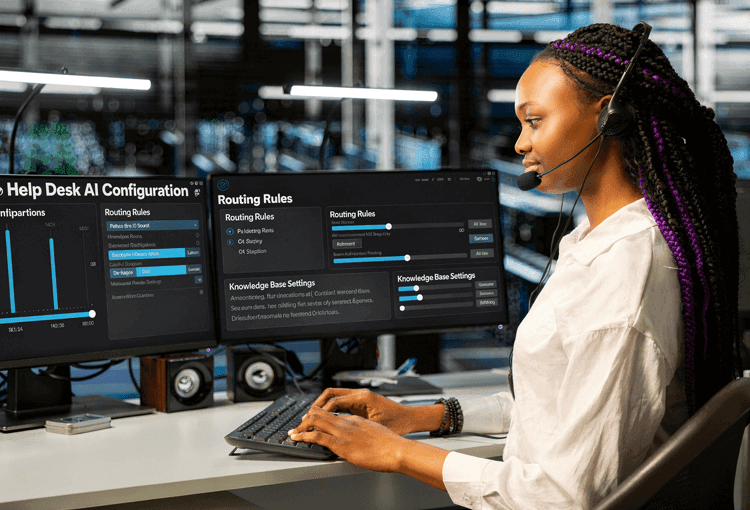
Understanding the Role of AI in the Help Desk
Simply put, Help Desk AI refers to the use of artificial intelligence technologies, specifically Natural Language Processing (NLP) and Machine Learning (ML), within help desk operations.
- NLP allows AI to understand support requests written in plain language, interpret intent, and generate relevant responses.
- ML enables the system to learn from past tickets, improve its recommendations over time, and adapt to evolving support patterns.
Together, these technologies allow the help desk to handle more requests with greater accuracy, while freeing agents to focus on work that genuinely requires human judgment.
Designed to support, not replace teams, this technology takes tedious tasks off your agents' plates. The goal is to resolve issues faster without sacrificing accuracy.
AI integrates throughout the help desk workflow, not only chatbots. Common use cases include:
- Ticket classification and routing
- Knowledge base search and recommendation
- Automated responses for common issues
- Assisting agents with suggested solutions
- Identifying recurring issues or trends
There is an important distinction between automation and AI. Many organizations already use basic automation. AI goes further by analyzing patterns and learning from past support activity.
- Understanding patterns in support requests
- Learning from previous tickets
- Improving recommendations over time
For example:
- Traditional automation = rule-based workflows
- AI-driven systems = data-driven help and predictions
Support environments are changing. Ticket volumes are rising. Response expectations are higher. IT environments are also becoming more complex. AI helps help desk operations scale without increasing staffing at the same rate.
Key Advantages of Introducing AI Into Help Desk Operations
While speed is important, customers ultimately want solutions that address their concerns. That said, speed often comes at a cost. When agents move quickly through calls and chats to get to the next request, important details can be missed. This isn't a criticism of agents. It reflects the reality of their workload. Many are juggling several chats, off-the-cuff questions, and after-call tasks at the same time. This is where AI-based solutions can make a meaningful difference. They handle repetitive tasks automatically. This allows agents to focus on complex issues instead of administrative work.
- One of the strongest capabilities of AI in help desk software is ticket analysis. AI can classify incoming tickets and generate suggested responses before an agent even opens them. At a minimum, it can provide context that helps agents craft more effective replies. The goal is not to remove the human element, but to strengthen responses while maintaining speed.
- Another important area is support consistency. Few things frustrate customers more than getting different answers to the same question from different agents. It creates confusion and undermines trust. AI helps address this by standardizing responses to common issues and trends. It can also support the development of a stronger knowledge base so agents are working from a shared "source of truth."
- Customer service teams that fail to monitor support trends risk falling behind competitors. Being proactive is critical. If a call comes in about a software outage, there should already be a playbook in place for a surge in tickets. AI can analyze support data and identify patterns. These may include recurring issues, user pain points, or opportunities to improve documentation. Once again, AI is not replacing human work, it's enhancing it.
- Unlike human agents who work in fixed shifts, AI systems can handle support requests at any hour for always-on support. Virtual agents and AI chat assistants provide immediate responses outside of business hours, over weekends, and across time zones. For organizations with remote or global teams, this is a significant operational advantage. Users get answers when they need them, without waiting for the next available agent. This also reduces the after-hours ticket backlog that support teams face at the start of each shift.
6 Ways AI Can Support Help Desk Teams Most Effectively
AI can support help desk teams in several areas of the support workflow. Below are six situations where AI can provide the most practical value:
-
Incoming Ticket Triage
For small and medium-sized businesses, ticket reception can become a real pain point. Staffing is often the main issue, especially on days when ticket volumes spike. Deploying AI to manage parts of the ticketing process can take a significant load off agents.
How does this work?
- AI reviews incoming tickets automatically
- It categorizes the issue (for example: billing, technical support, or order tracking)
- It routes tickets to the appropriate team
- This automatically makes the job of your front-line agents easier
Agents still interact with the customer and close the ticket when the issue is resolved.
-
Knowledge Base Assistance
Imagine a customer calling about a defective battery. An open-ended question like this could stem from several possible issues. Agents may spend time searching through documentation. AI can quickly surface the most likely causes and troubleshooting steps from the organization's knowledge base.
This can significantly reduce hold time, and few things frustrate customers more than waiting on hold.
AI can also help customers who prefer self-service. When users search the knowledge base, AI can interpret their questions. It then directs them to the most relevant documentation. In some cases, it can even provide guided troubleshooting steps directly.
A knowledge base that leverages AI can benefit both agents and customers.
-
Self-Service and Virtual Agents
AI chat assistants can handle many simple customer requests without requiring a live agent. For example:
- Checking a shipping update
- Answering questions about the latest software version
- Collecting customer feedback
AI-driven chatbots can process these inquiries and deliver accurate responses automatically.
This prevents simple requests from reaching human agents. Support teams can now focus on more complex issues or higher revenue-generating work.
-
Agent Ticket Handling Assistance
Another useful capability of AI is its ability to process large volumes of information and summarize it into clear insights.
Frustrated customers often send long or complex messages. Sometimes language barriers make the intent of a message harder to understand. In other cases, agents simply need help identifying the best response.
AI can assist by:
- Summarizing long ticket threads
- Clarifying incomplete or confusing messages
- Recommending possible next steps
This type of assistance helps agents respond faster while still providing thoughtful answers.
-
Agent Response Assistance With Generative AI
One of the most widely-used developments in support technology now is generative AI. Unlike traditional automation systems, generative AI can create responses, summaries, and troubleshooting guidance based on large datasets.
In a help desk environment, generative AI can assist in several ways:
- Drafting customer replies for agents
- Summarizing long ticket conversations
- Translating support messages between languages
- Generating knowledge base articles from resolved tickets
- Creating troubleshooting workflows automatically
Generative AI can significantly reduce the time agents spend writing responses or reviewing complex support threads. However, most organizations still use generative AI as an assistive tool rather than a fully autonomous system. Human oversight remains important to ensure responses remain accurate and aligned with company policies.
-
Trend and Issue Detection
Support teams occasionally face situations where ticket volumes spike suddenly. Agents may scramble to understand what is causing the surge.
When a software outage or product issue occurs, customers want answers quickly. This is especially true in industries like banking or healthcare, where downtime is a critical issue.
AI can help teams identify these patterns early by:
- Detecting spikes in specific ticket categories
- Identifying recurring product issues
- Alerting support leaders to prepare for an influx of tickets, emails, or calls
Early detection helps support teams respond faster and coordinate solutions before problems escalate.
Want to explore how AI is transforming service desk environments more broadly? Read our guide to IT service desk software to learn how modern platforms are evolving.
AI Help Desk Software and Tools
Many modern help desk platforms now include built-in artificial intelligence capabilities. These tools help automate repetitive tasks while improving how agents respond to support requests. Organizations evaluating AI help desk tools should focus on solutions that integrate smoothly with existing systems such as CRM platforms, messaging tools, and knowledge bases.
Common AI features found in help desk software include:
- AI ticket classification and routing
- AI knowledge base search and recommendations
- Virtual support assistants and chatbots
- AI-generated response suggestions
- Ticket summarization and sentiment analysis
- Predictive issue detection
More advanced features also include AI Copilots for support agents. These Copilots monitor ticket conversations and suggest troubleshooting steps in real time. This helps agents resolve issues faster without manually searching documentation.
Risks and Limitations of Help Desk AI
While AI can significantly improve help desk operations, organizations should also consider its limitations.
Some common challenges include:
- Accuracy concerns: AI systems depend on historical data. If the underlying data is incomplete or outdated, recommendations may not always be correct.
- Customer trust: Some users prefer speaking with a human agent rather than interacting with automated systems.
- Security and privacy: Help desk systems often process sensitive data. AI tools must meet strict security and compliance requirements, particularly in industries such as healthcare and finance.
- Implementation complexity: Help desk platforms and workflows may require careful planning.
Because of these challenges, most organizations use AI to augment human agents rather than replace them.
Driving Digital and AI Transformation Across the Help Desk
The conversation about AI seems non-stop and applicable to most industries. It does seem help desk operations are a "front and center" industry for this change. Why is that? Well, the role of the help desk has changed. Historically, help desks were often reactive, waiting for tickets, calls, and emails. Today, they need to be more proactive and data-driven. New technologies and higher customer expectations are driving this shift. AI acts as the helping hand. And because many businesses have embraced this new and evolving technology, those who haven't may be left behind.
AI is driving broader digital transformation in help desk operations. Organizations are integrating automation and modernizing their support systems. Many organizations are replacing outdated service desk software. They are moving to platforms that support automation and analytics first. These upgrades are not only about keeping up with trends. They help teams respond faster, identify problems earlier, and collaborate better cross-department.
As routine tasks become more automated, the role of support professionals is evolving. Support teams spend less time routing tickets or searching documentation. They can now focus on recurring issues and feedback implementation. They can also work on sharing better insights with product and engineering teams. Together, these actions help develop a better core business product.
Looking ahead, AI will continue shaping how help desks operate. Organizations that adopt these tools are not only improving workflows. They are turning their help desks into more proactive support teams.
How to Evaluate and Select the Right Help Desk AI Solution
The market for AI-powered platforms is growing. Choosing the right solution can feel overwhelming. Not every tool is the same, and not every organization has the same needs. Before adopting a new system, it's worth stepping back and evaluating a few key factors:
-
Integration with existing systems
Your help desk does not operate in isolation. Make sure the system works with the tools you already use. This might include your CRM, communication tools (email, chat), and any other support systems in place. Most things should work together, not in silos.
-
Ease of use for agents
AI tools should simplify an agent's workflow, not complicate it. If the platform is difficult to learn or requires too many steps, adoption will suffer.
-
Quality of automation capabilities
Look at what the platform can actually automate. Automation features should work reliably. This includes ticket routing, knowledge recommendations, and response suggestions.
-
Scalability
Your support needs will grow over time. The right solution should handle increased ticket volumes without requiring a major overhaul. Ticket volume is only one example though. Every business has unique pain points that can change as it grows.
-
Reporting and analytics
Good systems give you clear visibility into what is happening in your help desk. Teams should be able to track performance and spot recurring issues. This information also helps measure improvements over time.
-
Security and compliance
Customer service teams often handle sensitive information. Make sure the platform meets the security and compliance standards required for your industry.
-
Vendor support and ongoing development
AI tools evolve quickly. It helps to choose a platform that continues to improve its features and provides reliable customer support.
How to Implement AI in a Help Desk Step by Step
Introducing AI into help desk operations is typically done in stages rather than through a single deployment. Most organizations begin by automating high-volume support tasks before expanding into more advanced AI capabilities.
A typical AI help desk implementation may include the following steps. Rolling out AI gradually helps support teams adapt while minimizing operational disruptions:
-
Analyze Support Data
Review existing ticket data to identify repetitive requests and common support patterns.
-
Start With Automation
Deploy AI for tasks such as ticket classification, routing, and knowledge recommendations.
-
Introduce Self-Service Support
Implement AI chat assistants or knowledge base search tools that allow customers to resolve common issues independently.
-
Deploy Agent Assistance Tools
AI copilots can help agents draft replies, summarize ticket histories, and suggest troubleshooting steps.
-
Expand Into Predictive Support
More advanced AI tools can identify recurring issues, detect service outages early, and help teams respond proactively.
Moving Forward With Help Desk AI
AI is no longer an emerging tool in support environments. It is becoming the modern expectation for help desk operations. Many organizations are already moving toward smarter support systems, often referred to as the AI help desk.
For customers, this shift can mean faster responses and more consistent support. For agents and businesses, it improves visibility into support activity and better decision-making.
AI technology is still evolving. Organizations that adopt it should prepare to continue adapting as these systems grow. Learning how AI fits into help desk workflows is the first step toward modernizing support operations.
Improving Help Desk Performance With Giva
Giva provides cloud-based IT Help Desk Software and Customer Service Software for managing support requests. Teams can use the platform to track service performance and organize help desk activity.
The system includes ticket management, a knowledge base, workflow automation, and reporting tools. Further, Giva's ticket AI Copilot can summarize tickets and provide response text quickly for faster ticket resolutions.
Together, these features help support teams manage requests and help desk operations:
-
Knowledge base and solution search
Giva's Help Desk includes a built-in knowledge base. Teams can store documentation, troubleshooting steps, and previously resolved issues. Agents can search this knowledge base while working on support requests to locate existing solutions. The knowledge base can also be made available to end users so they can search for answers and resolve common issues on their own.
Moreover, with Giva's Knowledge Copilot, AI can help discover answers to questions quickly without agents needing to view individual knowledge articles.
-
Automation and Workflow Management
Giva allows organizations to configure workflow rules that help automate parts of the support process. For example, the system can automatically categorize or assign incoming requests. These automation features help reduce manual work during ticket intake and routing.
-
Reporting, Dashboards, and Performance Metrics
Giva provides reporting tools and visual dashboards that allow teams to track help desk performance. These reports help teams track ticket volume and response times. They can also show resolution trends. Managers can use this information to review activity and identify areas for improvement.
-
Self-Service and Customer Interaction Tools
Giva offers a self-service portal for users. Through the portal, users can access knowledge base articles or submit support requests.
The platform also includes customer satisfaction survey tools. Organizations can use these surveys to collect feedback after a request is resolved.
-
Cloud Deployment and Accessibility
Giva's Help Desk is delivered as a cloud-based application. Teams can access the platform through a web interface, so there is no need to install on-premise software.
Many organizations review modern service desk software when improving their support operations. Giva Help Desk provides the tools to organize and track help desk work.
Visit the Giva Help Desk product page to learn more, get a demo to see Giva's solutions in action, or start your own free, 30-day trial today!


Categories: Help Desk