How to Build a Business Case for Replacing Your ITSM Software to Win Approval
 By Ron Avignone
If you've spent the last couple of years working around your IT Service Management (ITSM) software rather than with it, you already know the system isn't keeping up. Tickets pile up, reports require hours of manual effort to produce, and integrations that were supposed to work together keep needing attention. The harder part isn't diagnosing the problem. It's building a document that convinces a CFO or CIO to release the budget to fix it.
This guide walks through the full process, from recognizing when replacement is the right call and identifying who to involve, through the financial and strategic justification, to structuring the document and presenting it in a way that gets a decision. Whether you're building this case for the first time or revisiting one that didn't gain traction, the steps here cover both the substance and the organizational dynamics.

Key Takeaways
- An ITSM software business case is a structured document that justifies a replacement decision through operational data, cost analysis, and risk assessment. It answers the "Should we replace?" question before vendor conversations start.
- Most organizations that replace their ITSM software achieve positive Return on Investment (ROI) within 6 to 18 months, assuming the implementation is properly scoped and change management is built in from the start.
- A complete business case document has nine core components, from an executive summary through a benefits realization plan. The benefits realization plan is the section most teams skip, and it's the one that builds long-term credibility with finance.
- The Total Cost of Ownership (TCO) analysis should run in both directions: what the current system costs to maintain over three to five years, and what a replacement costs to implement. The current system's fully-loaded cost is often significantly higher than the licensing line alone, once manual workarounds and lost productivity are counted.
- Finance, operations, and key end users should be brought in before the business case is written, not handed a completed document when it's time for signatures.
What Is an ITSM Software Business Case?
An ITSM software business case is a structured document that justifies replacing or significantly upgrading an IT Service Management platform by translating operational problems into financial and strategic terms that leadership can evaluate.
The document covers:
- Your current environment baseline and what it costs to maintain
- The projected cost and benefits of switching
- The risks in both directions
- How success will be measured after implementation
Finance and executive teams use it to decide whether the investment is worth approving. IT leadership uses it to align the organization before committing to a large change project.
A business case is different from a Request for Proposal (RFP) or a vendor comparison. Those come after the decision to replace has been made and budget is committed. The business case gets the organization to a formal investment decision. Vendor evaluation, proof-of-concept work, and the full RFP all follow once the project is formally authorized.
8 Signs It's Time to Replace Your ITSM Software
Not every frustration with your current ITSM tool signals a need to replace it. Some issues are fixable through configuration or additional training. These eight, though, point to structural limitations that patches and version upgrades are unlikely to resolve:
-
Rising Maintenance and Licensing Costs
License fees, support contracts, and customization costs keep climbing without a proportional improvement in what the tool delivers. When the cost of maintaining the current system approaches the projected cost of switching, the financial case for replacement is already forming.
-
Inability to Support Current ITSM Practices
The platform can't support the IT Service Management processes your team needs, whether that is incident management, change management, problem management, a service catalog, or a functional self-service portal. Workarounds have become standard procedure rather than occasional exceptions.
-
Poor User Satisfaction and Low Self-Service Adoption
End users avoid the self-service portal because it's slow, confusing, or unreliable, defaulting to email and phone calls instead. When agents handle significant volumes of low-complexity requests that a well-designed portal would deflect, the tool is generating work rather than reducing it.
-
Excessive Manual Workarounds
Agents regularly route around the system, using spreadsheets, shared inboxes, or messaging tools to track tickets. Manual workarounds are both a direct productivity cost and a data quality problem, where ticket histories become incomplete and hard to analyze.
-
Weak Reporting and Analytics
Generating the reports your leadership needs requires exporting data and reassembling it in a separate tool. Real-time dashboards are missing or unreliable. When performance metrics depend on manual data preparation, they arrive late and carry hidden margin for error.
-
Integration Failures
Integrations with monitoring tools, the Configuration Management Database (CMDB), asset management platforms, or HR systems are broken or require regular manual attention to stay current. A platform that can't connect reliably to the rest of the environment creates operational silos that reduce much of the value IT Service Management is meant to deliver.
-
Vendor End-of-Life or Poor Support
The vendor is slow to release updates, unresponsive to support requests, or has signaled the product is approaching end-of-life. Staying on a platform the vendor isn't actively maintaining is a technical debt accumulation strategy, not a stability plan.
-
Security Gaps or Compliance Risk
The tool lacks the access controls, audit trail capabilities, or compliance certifications your organization requires. In regulated industries such as healthcare, finance, and government, compliance gaps carry direct legal and operational consequences that go beyond IT department concerns.
The table below summarizes each sign and what it looks like day-to-day:
Sign |
What It Looks Like in Practice |
|---|---|
Rising Maintenance and Licensing Costs |
Annual cost reviews show increasing vendor fees; customization quotes keep growing; the ITSM tool becomes a recurring budget conversation |
Inability to Support Current ITSM Practices |
Change requests managed in email; no service catalog in use; problem management tracked in spreadsheets outside the system |
Poor User Satisfaction and Low Self-Service Adoption |
CSAT scores declining; self-service portal usage below 20%; users call or email rather than use the portal |
Excessive Manual Workarounds |
Secondary spreadsheets maintained alongside the system; escalations happen via chat rather than through the tool; ticket data is incomplete |
Weak Reporting and Analytics |
Monthly reports require multi-step exports; ad hoc data requests take hours; no real-time performance visibility |
Integration Failures |
Monitoring alerts require manual ticket creation; asset data is out of sync; HR offboarding triggers require a manual checklist |
Vendor End-of-Life or Poor Support |
Support requests go unanswered for days; last major update was over a year ago; vendor has announced a successor platform |
Security Gaps or Compliance Risk |
Audit preparation requires manual evidence collection; role-based access controls are inadequate; platform lacks required compliance certifications |
Identify Your Stakeholders Before You Start
One of the most consistent patterns hindering progress on ITSM business cases is that the key stakeholders were treated as an audience at the end of the process rather than contributors at the beginning. When a completed document lands on someone's desk the first time they're hearing about the project, you'll encounter objections at the worst possible moment, the kind that could have been addressed in the data-gathering phase weeks earlier.
Involving the right people before you start writing gives you better data, better insight into what the document needs to say, and the internal supporters you'll need when the case goes to a vote. People tend to back decisions they helped shape.
The five main stakeholders to bring in before the business case is written are:
- IT Leadership (CIO / CTO): Concerned with technical debt, integration complexity, security posture, and whether the platform can support the organization as it grows.
- Finance / CFO: Focused on total cost of ownership, payback period, and risk exposure. Step 2 covers how to frame the financial argument in terms that speak directly to this group.
- Operations and Service Delivery: Care most about ticket handling time, agent workload, and what the transition period will look like for the people doing the actual work.
- End Users and Service Desk Agents: Their daily frustrations often produce the most specific and credible data for the problem statement. Their input makes the case concrete rather than abstract.
- Security and Compliance: In regulated industries, their sign-off on the replacement platform's compliance capabilities may be a prerequisite for any formal approval.
Gathering input through a short survey, one-on-one meetings with key representatives, and a workshop with frontline service desk users gives you both quantitative data and the qualitative concerns that rarely come up in formal settings. Each group will need the case framed differently when the presentation happens. At this stage, the goal is to listen.
7 Steps to Build Your ITSM Software Business Case
The following steps take you from initial data collection through document assembly. Each step produces a component that feeds directly into the final business case:
-
Step 1: Document the Current State
Before making the financial argument, you need a baseline based on facts. That means specific, measurable data, which gives finance something to evaluate. It also creates the reference point you'll need for measuring whether the new platform actually delivered what you promised.
Metrics to collect before writing:
- Ticket volume by category and priority (monthly average)
- Mean Time to Resolution (MTTR) and Mean Time to Acknowledge (MTTA)
- First Contact Resolution (FCR) rate
- Service Level Agreement (SLA) compliance rate (percentage of tickets resolved within defined targets)
- End-user satisfaction (CSAT) score
- Cost per ticket (total IT labor cost divided by total ticket volume)
- Frequency of manual workarounds and system bypasses
- Number of integrations that are broken or require regular manual attention
Supplementing the ticket data with a short agent survey is worth the time. Automated systems capture what the tool records. Agents will tell you what the tool doesn't:
- Workarounds baked into routine processes
- User experience issues that generate calls rather than tickets
- Specific friction points that show up only in day-to-day work
-
Step 2: Quantify What the Current State Is Costing You
The first thing most IT leaders do when they start building the cost case is total up the licensing fees. That number is easy to confirm, but it's rarely the one that carries the argument. The more compelling figure is the fully-loaded cost, which includes what the organization spends on the contract and what it spends working around the system.
Hard costs are easier to document. Licensing and support contract fees come straight from invoices. Customization consulting and IT admin time for maintenance can be pulled from time records and vendor contracts. Total these over three to five years to establish the current-state baseline.
Soft costs take more judgment, and this is genuinely the part most organizations get wrong. Lost productivity from manual workarounds and the labor that goes into assembling reports manually don't live in any single data source. Your estimates won't be exact, and that's fine. The goal is a defensible range rather than a precise figure. In most environments, the soft cost total turns out to be larger than the licensing number, but even a rough estimate tends to change the conversation in a way that contract fees alone never do.
Important tip: The framing that tends to be most persuasive with finance is the cost of doing nothing. Laid out explicitly, this calculation shows what the current situation will cost over the next three years if nothing changes. It shifts the question from "Can we afford to switch?" to "Can we afford to stay?"
-
Step 3: Define Goals and Expected Benefits
Benefits fall into two types:
Hard benefits are quantifiable, and they're the numbers finance will examine most closely. Examples include:
- A specific reduction in MTTR through automated routing and escalation workflows
- Hours saved per week per agent through automation
- A lower cost per ticket through increased self-service deflection
- Eliminated consulting fees for customization that a more flexible platform would not require
These projections should be conservative. An overstated benefit that doesn't materialize undermines trust in the entire case.
Soft benefits are less precise but also real. Improved agent experience and reduced manual workload affect morale and, over time, retention on service desk teams. Higher self-service adoption rates reduce the volume of low-complexity requests reaching agents directly, freeing capacity for higher-value work.
The benefits that carry the most weight in an approval meeting are the ones that connect to what leadership already cares about. For example:
If the organization is focused on cost reduction, quantify the savings first.
If compliance is the driver, map the new platform's capabilities directly to the specific regulatory requirements the current system fails to meet.
A business case that leads with organizational priorities tends to go further with approvers than one that leads with IT department efficiency.
-
Step 4: Calculate Total Cost of Ownership
The TCO analysis compares the full cost of maintaining the current system against the full cost of implementing a replacement over a defined period, typically three to five years. Running the comparison in both directions is what makes the financial argument credible, and it's where most business cases underinvest in rigor.
Current system TCO includes:
- License and support contract fees
- Internal IT admin time for configuration, maintenance, and upgrades
- Customization and consulting fees
- Integration maintenance costs
- Labor cost of manual workarounds (estimated hours multiplied by loaded hourly rate)
- Technical debt, which compounds each year as existing customizations make future changes more expensive
New system TCO includes:
- Software licensing (cloud-based ITSM platforms typically carry simpler, more predictable pricing than legacy on-premise tools)
- Implementation and configuration consulting
- Data migration
- Integration development
- Training and internal project management time
The ROI formula is:
ROI = (Total Benefits - Total Transition Cost) / Total Transition Cost x 100
To see how the formula works in practice, consider a hypothetical organization with a 5-person service desk. After documenting all costs in Steps 1 and 2, they identify three quantifiable annual benefits from switching. Agent time reclaimed through automation and better routing generates $28,000 in annual savings. Self-service deflection (20% of 4,000 annual tickets at a $15 average handling cost) adds another $12,000. Eliminating third-party customization consulting saves $18,000 more, bringing the total annual benefit to $58,000.
The one-time transition costs come to $60,000, covering implementation and configuration ($35,000), data migration ($15,000), and training and change management ($10,000).
ROI = ($58,000 x 3 - $60,000) / $60,000 x 100 = 190% (3-year)
The payback period is approximately 12 to 13 months. These are illustrative numbers, but the structure is replicable for any organization. The key discipline is to keep benefit estimates conservative and account for every transition cost. The payback period that results will carry far more credibility with a finance team than one built from optimistic assumptions.
Many business cases undercount the transition cost, particularly for data migration and integration complexity. Credibility with finance will be lost long after the initial decision if costs are revised upward after approval. An honest estimate with a realistic payback period will hold up better than an optimistic one.
For organizations where finance requires deeper financial modeling, a Net Present Value (NPV) projection uses the same TCO inputs by discounting projected savings and productivity gains back to today's dollars. NPV is particularly relevant for multi-year decisions where the timing of cost avoidance matters as much as the total figure.
-
Step 5: Evaluate Your Options
The business case should present options, not just a single recommendation. Including two or three evaluated alternatives shows decision-makers that the recommendation was reached through systematic comparison rather than a predetermined conclusion.
A MoSCoW analysis (Must-have, Should-have, Could-have, and Won't-have) is a useful starting point for defining requirements before vendor evaluation. Sorting capabilities into those four categories focuses the evaluation on what actually matters rather than what looks impressive in a demo. From there, a weighted scoring matrix allows each shortlisted vendor to be assessed against the same criteria:
- Functional capabilities and IT Infrastructure Library (ITIL) process coverage
- Knowledge management and self-service portal quality
- Integration support and ecosystem fit
- Licensing model and TCO
- Implementation approach and timeline
- Vendor support quality and responsiveness
- Security, compliance, and data governance
Keep in mind: Before finalizing the recommendation, request structured demos from each shortlisted vendor and speak with reference customers from organizations similar in size or industry. Ask them specifically where their projected ROI materialized first and how the implementation actually compared to the timeline they were given. That firsthand data gives the recommendation section credibility that a scoring matrix alone can't.
The options section in the business case doesn't need to match the depth of a full RFP. A summary of two or three options with key differentiators and a clear recommendation with rationale is sufficient to show that the decision was carefully considered.
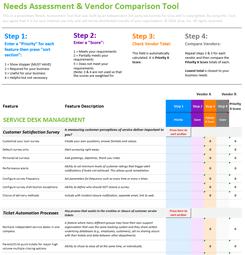
Looking for a resource to help evaluate vendors? Download Giva's free ITSM Requirements Analysis Tool.
-
Step 6: Assess the Risks
Risk assessment is where a lot of business cases fall short. Most present only the risks of switching, which leaves the assumption that the current situation is the safe default. The analysis needs to run in both the following ways:
Risks of switching:
- User adoption challenges if change management is treated as secondary to technical implementation
- Data migration complexity, particularly for organizations with years of ticket history and heavily customized fields
- Integration disruption during the transition window when both systems may need to run in parallel
- Business continuity risk if go-live is not properly phased
Risks of staying:
- Continued technical debt accumulation as customizations compound each year
- Security vulnerabilities on a platform the vendor is no longer actively maintaining
- Widening capability gap as competing organizations adopt more modern, AI-ready tooling
- Growing cost pressure as maintenance and customization requirements increase
- Unplanned downtime and service instability risk, particularly if aging integrations or an unsupported platform architecture become a single point of failure for IT operations
Including the risks of staying explicitly makes the analysis balanced and directly counters the objection that change is inherently more risky than the current situation.
-
Step 7: Assemble the Business Case Document
Steps 1 through 6 produce all the data and analysis needed to fill the nine components of the business case (see the next section). And Step 7 is the phase that builds it. Organize the analysis into the structured document format that goes to leadership for a decision.
A complete business case for a mid-size ITSM replacement typically runs 10 to 20 pages excluding appendices. Shorter documents risk appearing under-analyzed, but longer ones lose the attention of time-constrained approvers. The executive summary, cost-benefit analysis, and risk assessment are the sections that receive the most scrutiny, so those warrant the most care in drafting.
One final note on sequencing. Write the executive summary last. A strong executive summary captures the two or three most compelling figures from the full analysis, presented in a format that fits a single page. Those numbers aren't obvious until the complete analysis is in front of you.
9 Components of a Strong ITSM Business Case Document
A complete ITSM software business case document contains nine core components. Together, they take the reader from "Here's the problem" through "Here's how we'll know we solved it":
-
Executive Summary: The 1-2 page summary of the full case: core problem, recommended solution, projected benefits, and investment required.
Written last, read first.
-
Problem Statement: A description of current operational challenges, supported by the data collected in Step 1.
The test of a strong problem statement is specificity. "Our current MTTR averages 48 hours against a common benchmark of 24 hours" is a problem statement. "Tickets take too long to resolve" is not.
-
Current State Analysis: The full operational baseline from Steps 1 and 2: ticket volumes, resolution metrics, CSAT scores, cost per ticket, and total cost of maintaining the current system.
Every financial comparison in the document is made against this baseline.
-
Options and Recommendation: A summary of alternatives considered, including doing nothing as an explicit option.
Two to three options with key advantages, disadvantages, and a clear recommendation with rationale.
-
Cost-Benefit Analysis: The TCO comparison from Step 4, with hard and soft benefits itemized.
The cost-of-doing-nothing projection belongs here alongside the ROI calculation.
-
ROI Projection: The ROI formula result with payback period estimate.
A sensitivity analysis covering best, base, and worst-case scenarios shows that the investment delivers positive returns even under conservative assumptions.
-
Risk Assessment and Mitigation: Risks of switching with proposed mitigation strategies; risks of staying with projected consequences.
Both options with equal rigor.
-
Implementation Plan: A high-level phased timeline covering assessment, configuration, data migration, training, and go-live.
For cloud-based ITSM platforms, a realistic timeline is typically three to six months. Resource requirements and key milestones should be included.
-
Benefits Realization Plan: How and when the projected benefits will be measured after go-live, including which Key Performance Indicators (KPIs) will be tracked, who owns them, and when they will be reviewed.
Concrete targets make this section credible. For example, "Reduce Mean Time to Resolution (MTTR) by 20% within 12 months" along with the name of the team member who owns the measurement and the date of the first review.
Scheduling reviews at 90 days and 12 months after go-live supports continual service improvement by identifying where results are tracking and where adjustments are needed.
This is the section most teams omit, and it's the one that shows accountability rather than optimism.
The table below summarizes each component, what question it answers, and which stakeholders care about it most:
Component |
What It Answers |
Who Cares Most |
|---|---|---|
Executive Summary |
Is this worth approving? |
All approvers; read first |
Problem Statement |
What is broken and how badly? |
Executive leadership |
Current State Analysis |
What is the current situation costing us? |
Finance; establishes the baseline |
Options and Recommendation |
Did we consider alternatives? |
All approvers; shows rigor |
Cost-Benefit Analysis |
Does the investment make financial sense? |
Finance; CFO |
ROI Projection |
When do we break even? |
Finance; operations for payback period |
Risk Assessment and Mitigation |
What could go wrong in either direction? |
All approvers; risk-averse stakeholders |
Implementation Plan |
How disruptive will this be? |
Operations; IT leadership; project sponsors |
Benefits Realization Plan |
How will we know if it worked? |
Finance; executive sponsors |
How to Present the Business Case and Win Approval
-
Tailor the Message to Your Audience
The business case document stays the same regardless of who reads it. The presentation, the 15 to 30 minutes in front of the approval group, should be shaped around what each key approver cares about. The same data, framed differently for different priorities, is more effective than delivering the same pitch to everyone.
Requesting a brief pre-meeting with each key approver before the formal presentation is worth the effort. It reveals the primary concern before the approval meeting, so you can address it directly rather than finding out when you're already in front of the room.
Approver
What They Focus On
How to Open the Case
CFO / Finance
Total cost, payback period, risk exposure
Lead with the cost-of-doing-nothing figure. Follow with the TCO comparison and payback period estimate.
CTO / CIO
Technical debt, security posture, scalability, AI readiness
Lead with the capability gap and any security or compliance risk. Cover how the new platform supports the technology direction.
Operations / Service Delivery
Agent workload, ticket handling time, transition impact
Lead with time saved per agent and self-service deflection gains. Address transition planning early in the conversation.
HR
Agent satisfaction and retention risk
Lead with CSAT and manual workload data. Connect high-friction tooling to turnover risk if the data supports it.
-
Common Objections and How to Address Them
These objections come up in nearly every ITSM replacement conversation. Having a prepared response before the presentation is the difference between a confident answer and a fumbling one:
-
"We just replaced this a few years ago"
Show the compounding cost of technical debt and the capability gap that has widened since implementation. A platform that was adequate three years ago may not support the processes the organization needs today, particularly if ITSM maturity has grown or the organization has scaled.
-
"The transition will be too disruptive"
Address with a phased implementation plan and change management built into the project timeline. The unexpected disruption of maintaining a failing system is typically harder to plan around than a well-managed replacement.
-
"We don't have the budget right now"
Use the cost-of-doing-nothing calculation. If the current system is costing the organization a specific dollar amount per year in lost productivity and maintenance, the question becomes "What is the cost of another year of delay?"
-
"Can't we just upgrade what we have?"
Include this as Option B in the options analysis. Explain specifically why an upgrade doesn't resolve the structural issues in the problem statement. If the core architecture or the vendor's development direction is the constraint, an upgrade leaves the constraint in place.
-
"What if the new system doesn't perform as expected?"
Point to the risk assessment, the benefits realization plan, and the option of a phased rollout or pilot before full deployment. The benefits realization plan addresses this concern directly by showing the team is committing to specific, measurable outcomes.
-
"We just replaced this a few years ago"
Frequently Asked Questions About Building an ITSM Software Business Case
-
What is the typical ROI timeline for replacing ITSM software?
Most organizations that replace their ITSM software achieve positive ROI within 6 to 18 months, assuming the implementation is properly scoped and change management is built in from the start.
Several variables affect the payback period:
- Data migration caused by years of ticket history and heavily customized data fields takes longer and cost more to migrate cleanly
- The number and complexity of integrations that need to be rebuilt or reconfigured in the new environment
- How much customization the new platform requires to replicate existing workflows
- How effectively the change management plan drives user adoption in the first 90 days
Cloud-based ITSM platforms typically reach positive ROI faster than on-premise replacements, largely because implementation timelines are shorter and the ongoing maintenance burden drops more quickly once the legacy system is decommissioned. Organizations that treat change management as secondary to technical implementation tend to see delayed ROI even when the platform itself is performing well.
-
How do I calculate total cost of ownership for ITSM software?
TCO for ITSM software is the sum of all costs associated with the platform over a defined period, typically three to five years, calculated separately for the current system and the proposed replacement.
Step 4 above covers the full breakdown of what goes into each calculation. When comparing current system TCO against replacement TCO, the goal is to reach figures you can use in the ROI formula: ROI = (Total Benefits - Total Transition Cost) / Total Transition Cost x 100.
One cost that's easy to miss is the internal IT team's time during the evaluation process itself. Requirements gathering, vendor demos, scoring, contract review, and procurement can account for three to five weeks of total staff time before implementation begins. Including that in the TCO estimate keeps the final payback period calculation honest.
-
What if stakeholders are resistant to the idea of switching tools?
Resistance usually traces back to fear of operational disruption, a previous bad technology implementation, or low confidence that the projected results will actually materialize.
The most productive response is to involve resistant stakeholders in the data-gathering phase, not just the approval meeting. Early involvement has three effects:
- Their input on current pain points strengthens the problem statement with specific, credible evidence
- Their concerns about the switch give you the objections to address in the risk section
- Their participation makes them more likely to support the recommendation once they've been heard
When a previous implementation failure is part of the organizational history, address it directly and explain how this project is structured differently. If resistance is still strong enough that a straightforward decision seems unlikely, consider proposing a limited pilot using one team or a defined scope, with the results measured against the metrics in the benefits realization plan.
-
What's the difference between a business case and an RFP for ITSM software?
A business case answers the question 'should we replace our ITSM software?' A Request for Proposal (RFP) answers the question 'which vendor should we choose?'
They're sequential steps in the same decision process. The business case goes to leadership for budget approval. Once approved, the RFP is used to evaluate vendors against the requirements established in the business case. Combining the two in one document weakens both. The business case loses focus, and the vendor selection process starts before the decision criteria have been formally agreed on. Build the case first, then run the RFP after the budget is committed.
The RFP should reference back to the business case directly, specifically the requirements defined during the MoSCoW analysis. That connection keeps the vendor evaluation tied to the organizational needs that justified the project in the first place, rather than drifting toward features that are impressive but weren't identified as requirements.
Related Giva Resources
- Top 15 Benefits of ITSM + How-To Tips
- Comprehensive Software Evaluation Checklist for Support Teams
- Software Evaluation Process: 10 How-To Steps + Best Practices
- Top 17 ITSM Software Solutions in 2026 + Scorecard Tool
- ITSM Automation Fully Examined + 10 Use Cases and How-Tos
Building Your ITSM Software Business Case: The Financial Case Is Only Half the Story
The financial case for replacing a legacy ITSM tool is rarely the hard part. Once the baseline data is collected, the TCO comparison, ROI calculation, and projected benefits usually tell a clear story. What separates a business case that gets approved from one that stalls in committee is the organizational work that happens around the document.
Understanding what each key approver cares about before you walk into the room matters more than any individual section of the document. Finance wants to know the payback period and what staying is costing. IT leadership wants to see the capability gap addressed. Operations wants to know the transition won't be more disruptive than the current situation. Get the framing right for each group, and the substance of the document will carry the rest.
If your current ITSM software is showing the signs covered in this guide, the data for your business case already exists in your environment. The work is to gather it, structure it around the nine components outlined here, and present it to the right people in the right order.
See What a Modern ITSM Platform Can Do
Building a business case is one thing. Finding the right replacement is another. Once your business case gets approval, the next step is evaluating vendors with the same rigor you applied to building the case.
Giva's customers have seen concrete, measurable results. When Williams Lea, a global business services firm, switched to Giva, their service desk was operational within one week and report generation time dropped from hours to minutes. Those are exactly the kinds of specific outcomes that make an Implementation Plan and Benefits Realization Plan credible when you're presenting your own case for change.
Features include:
- Intuitive and flexible dashboard
- Helpful Copilots for quicker issue handling
- Ticket Macros for faster UI interactions
- Multiple service desks for different departments
Whether you're still building your case or ready to compare vendors, Giva offers a free ITSM software needs assessment to help you define your requirements, benchmark your current environment, and evaluate options with a structured scorecard.
Ready to see if Giva can help you? Get a demo to see Giva's solutions in action, or start your own free, 30-day trial today!


Categories: IT, Help Desk