IT Business Continuity Plan (BCP): Step-by-Step Guide and Checklist for IT Teams
Every IT organization faces disruptions, from natural disasters and power failures to ransomware attacks and unplanned outages. An IT Business Continuity Plan (IT BCP) is the structured strategy that keeps your technology operations running, or recovers them quickly, when those disruptions occur. Without one, organizations are left improvising under pressure, and downtime can cost far more than the immediate repair bill. It can also damage client trust and your organization's long-term reputation.
The good news is that an IT Business Continuity Plan (BCP) can lessen the impact of downtime by helping your organization take the appropriate steps toward a quick resolution. In many cases, plans can be built in-house with the proper coordination of different departments.
What is an IT Business Continuity Plan?
In its most simple form, it is developing a written strategy to ensure that your IT organization's key business processes can keep running, even when a disruptive event occurs. A BCP will act as a guidebook on tackling specific issues, like a cyberattack or damaged equipment. It reduces improvisation and widespread panic.
IT teams play an essential role in a BCP. Nowadays, when a disruptive incident occurs, it usually involves an organization's tech. Who understands your organization's tech best? IT, of course! Planning and execution should be left with them. However, it may be a good idea to hold emergency preparedness sessions with other organizational teams. When disaster strikes, internal teams must be on the same page, working together toward a solution.
IT Business Continuity vs. Disaster Recovery
An IT Business Continuity Plan (BCP) and a Disaster Recovery Plan (DRP) are closely related but serve different purposes. Understanding the differences can help avoid gaps in service planning.
- Business Continuity Plan (BCP): Focuses on keeping essential operations running during a disruption. A BCP is broader in scope, covering processes, people, facilities, and IT systems. Its goal is to minimize downtime and ensure the business can function--even if at a reduced capacity--until full recovery is possible.
- Disaster Recovery Plan (DRP): Focuses specifically on restoring IT systems and data after an incident. A DRP outlines the technical steps required to recover servers, databases, and applications, often with defined Recovery Time Objectives (RTOs) and Recovery Point Objectives (RPOs).
Both plans should work hand-in-hand. A strong IT BCP ensures your organization can keep moving forward, while a DRP ensures the technology foundation is restored as quickly as possible.
See our IT Disaster Recovery Plan guide for more information on DRPs.
Examples of Business Interruption in IT
Interruptions to your organization can come in several forms. When they do happen, it can frustrate employees and clients alike. The biggest frustration may come from the fact that it was avoidable to begin with! Many organizational disruptions can be less intrusive or avoided entirely with better planning:
- Natural disasters: Large storms can knock out power or wreak havoc with flooding at brick and mortar locations, damaging physical equipment. Moving data to the cloud and reducing the amount of physical tech that you have on-site can be helpful. This is especially in climates prone to tropical storms and hurricanes.
- Theft: Equipment can be stolen off your premises. It would be wise for an organization to recommend that employees lock away equipment when they go home for the day. Having the ability to remotely wipe data off a stolen device would also work in the favor of an organization in order to minimize the impact of the theft.
- Human error: This can include employees clicking on malicious links received by email or via a web page. IT should consider hosting regular training sessions on cyber security awareness.
- Software updates: Unplanned updates, which are then forced onto the system, can cause hours of downtime. Ensure you build a software update schedule inline with your provider. Trigger updates to occur on weekends or in the early hours of the morning (i.e. between 2 and 5 AM).
Business interruptions are not only costly to the bottom line of an organization, they can also have even greater effects. For example, when work-stop issues occur in a hospital, it can quickly become a life and death situation for patients.
Why Your IT BCP Must Address Ransomware and Cyber Threats Specifically
Ransomware and destructive cyberattacks represent a different class of IT disruption, one that continuity plans written before 2020 were not designed to handle. Unlike a power outage or hardware failure, a ransomware attack can simultaneously encrypt your primary data, compromise your backup systems, and lock out the personnel who would normally execute your recovery procedures. According to IBM's Cost of a Data Breach Report, the average cost of a data breach reached $4.4 million, and organizations without tested incident response plans consistently see significantly higher costs and longer recovery times.
Cyber threats should be treated as a first-class disruption scenario in your IT BCP, with the same level of documented response steps that you would apply to a natural disaster or infrastructure failure.
A ransomware-optimized IT BCP needs specific provisions beyond standard backup and recovery. At a minimum, your plan should include:
- Immutable, air-gapped backups: At least one backup copy should be stored in a location that ransomware cannot reach, either offline tape or a cloud storage bucket with object lock enabled. A common standard is the 3-2-1-1 rule of three copies of data, on two different media types, one off-site, and one immutable.
- Isolation procedures: Your BCP should specify exactly how to segment and isolate an infected system from the network within minutes of detection, before the malware spreads laterally to connected systems.
- Decision authority: Identify in advance who is authorized to take systems offline, engage external incident response specialists, or make other high-stakes decisions that cannot wait for a committee meeting during an active attack.
- Tested restoration drills: Run at least one full ransomware recovery simulation annually restoring systems from clean backups in a sandboxed environment to confirm that your RTOs are achievable under realistic attack conditions.
Key Features and Step-by-Step Guide to an IT Business Continuity Plan
The following features and steps blend strategy and action so your team can be ready:
-
Create a Cross-Functional Response Team
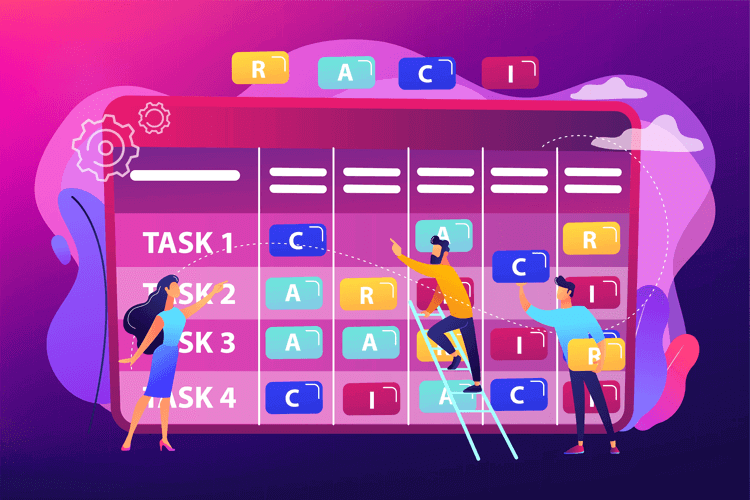
Disaster often sparks panic and confusion. A designated response team reduces uncertainty by assigning clear responsibilities. This team should include IT leaders plus people from operations, HR, and communications. Their role is to coordinate response activities, make decisions under pressure, and guide other employees during incidents.
-
Conduct a Business Impact Analysis (BIA) and Define Recovery Objectives
A Business Impact Analysis (BIA) is the analytical foundation of your IT BCP. It maps your critical IT functions and quantifies what losing them means in terms of revenue disruption, operational stoppages, regulatory exposure, and customer impact.
For each function, determine the maximum tolerable downtime before consequences become unacceptable. That figure drives two key metrics:
- Recovery Time Objective (RTO): How quickly a system must be restored
- Recovery Point Objective (RPO): The maximum acceptable data loss measured in time
For example, a mission-critical CRM system might carry an RTO of four hours and an RPO of one hour, while an internal reporting tool might allow an RTO of 48 hours and an RPO of 24 hours. Divide your systems this way and you will know exactly where to invest your fastest and most expensive recovery resources.
-
Develop Mitigation and Backup Strategies
Risk assessment sets the stage for risk reduction. Implement redundant systems, off-site or cloud-based backups, and failover servers. For organizations with sensitive data, encryption and geographically distributed storage are essential. These strategies limit downtime and data loss when disruptions occur.
Organizations in regulated industries or those serving enterprise clients may also benefit from aligning their IT BCP with ISO 22301, the international standard for Business Continuity Management Systems (BCMS). ISO 22301:2019 specifies requirements for planning, establishing, maintaining, and continually improving a BCMS, using a Plan-Do-Check-Act (PDCA) cycle that maps closely to the steps described in this guide. For organizations subject to the EU Digital Operational Resilience Act (DORA), which took effect in January 2025, ISO 22301 certification also supports compliance with DORA's operational resilience mandates for financial-sector entities. Achieving certification typically takes six to twelve months depending on organizational size and existing preparedness.
-
Run Scenario Testing Exercises
A plan is only useful if it works under pressure. Conduct mock events such as simulated cyberattacks, server outages, or forced software update failures. These drills help your IT team uncover weaknesses and fine-tune recovery procedures before a real incident happens.
-
Build a Crisis Communications Plan
Clients and employees value transparency when systems go down. Establish methods for how you will notify them, what information you'll share, and who provides updates. Regular status reports, especially with estimated recovery times, help preserve trust and reduce frustration during outages.
-
Maintain and Update the Plan
Since an IT environment changes constantly, you should keep your BCP up to date. Schedule reviews at least annually, and update it whenever you introduce new applications, expand infrastructure, or face new cyber threats such as ransomware. A plan that's outdated may be worse than not having one at all.
Testing and Maintaining Your IT BCP
Even the most carefully written BCP will fall short if it's never tested or refreshed. Continuous verification keeps your organization ready for both expected and unexpected disruptions.
Here are how and when to test your IT BCP:
- Types of Tests: Use a mix of discussion-type walkthroughs, functional drills (eg. restoring data from backup), and full-scale simulations (eg. turn off a server to test failover). Each type provides different insights into your readiness.
- Frequency: Most organizations benefit from quarterly walkthrough exercises and at least one live drill per year. Critical industries such as healthcare and finance may require more frequent testing.
- Post-Test Reviews: Every exercise should conclude with a review session of what went right and wrong. Document these and update your BCP accordingly.
- Ongoing Maintenance: Treat the BCP as a living document. Review it whenever new technologies are added, vendors change, or compliance requirements shift. Many organizations tie plan updates to annual audits or IT strategy reviews.
Testing and maintenance will help your IT team and your entire organization be prepared to respond, recover, and adapt.
IT Business Continuity Plan Checklist
Use the following checklist to verify that your IT BCP covers its essential components. A complete, audit-ready plan should be able to check every item:
- Cross-functional response team defined, with named alternates for each key role
- Business Impact Analysis (BIA) completed, documenting the downtime cost and impact of each critical IT system
- RTO and RPO established for every Tier 1 and Tier 2 system, with written documentation
- Backup strategy documented: frequency, media types, off-site or cloud location, and at least one immutable or air-gapped copy
- ISO 22301 alignment reviewed, if applicable to your industry, client base, or regulatory environment
- Ransomware and cyberattack response steps included: network isolation procedures, decision authority, and restoration from a clean backup
- Crisis communications plan established: internal notification chain, customer-facing update templates, and escalation contacts
- Tabletop exercises scheduled at least quarterly; full live recovery drill scheduled at least annually
- Post-test review process documented: findings recorded and BCP updated after each exercise
- BCP review date set: at minimum annually, and after any major infrastructure change, new vendor, or shift in the threat landscape
Final Take: Keeping a Business Going with a Good IT Business Continuity Plan
Why have an IT business continuity plan? It could be the difference between an organizational disaster or a seamless hiccup. With so much technology involved in the operation of a modern organization, it would be naive to think that disaster could never strike. Over time, your organization will likely face a disruption that knocks specific services or the entire system offline. These instances are frustrating for clients and businesses alike. They can hurt both your bottom line and your reputation. When disaster strikes, every minute counts. An IT business continuity plan can help you proactively avoid situations and react quickly when they do happen.

Categories: IT, Business