Help Desk Description of Duties: Roles, Responsibilities, and AI's Impact
When a help desk job posting says "provide technical support and resolve issues as they arise," it tells a candidate almost nothing useful. What gets logged? What happens when a fix is out of scope? Who handles the user while the ticket sits open at Tier 2? Vague descriptions cause real problems on both sides of the hiring decision. Candidates take roles that don't match their skills, and teams end up with technicians who misunderstand the scope of the job.
This guide covers the full description of help desk duties, including:
- The main day-to-day responsibilities
- How those duties change across support tiers
- The distinct roles within a help desk team
- The skills that matter most
- How performance is measured
- What AI is changing about the function
What Does a Help Desk Do?
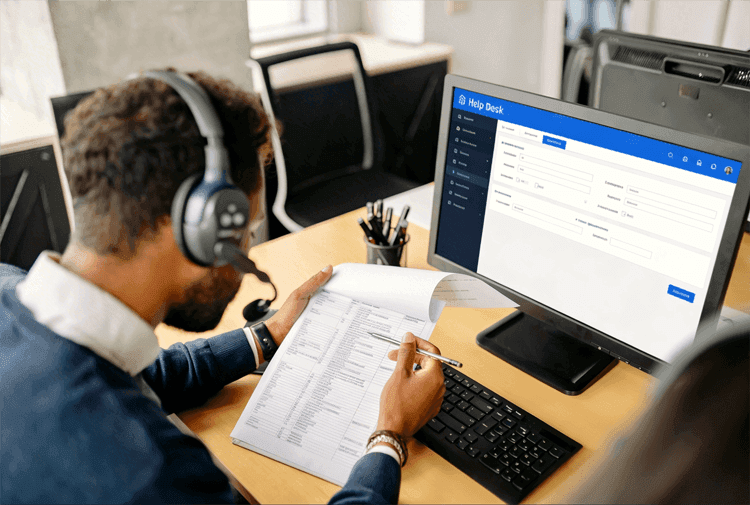
A help desk is the centralized IT support function that serves as the first point of contact for users with technical issues, service requests, or questions. It is responsible for logging, routing, resolving, and escalating support requests across the full ticket lifecycle.
Within IT Service Management (ITSM), the help desk sits in the middle of the end-user experience and the broader set of processes that keep IT services running. It manages the full lifecycle of a support request, from initial intake and logging through assessment, resolution or escalation, and closure.
Help desks handle two main categories of work:
- Incidents are unplanned disruptions, such as a laptop that won't connect to the network or software that has stopped working.
- Service requests are planned tasks, such as setting up a new user account or provisioning hardware for a new hire. In organizations that use a service catalog, users submit service requests through a predefined menu of available IT services, which makes intake faster and more consistent.
Most help desks manage both incident resolution and service request fulfillment, which is why the role requires a mix of reactive troubleshooting and routine process work.
5 Main Help Desk Duties and Responsibilities
Help desk duties fall into five functional categories. Understanding them as distinct functions, rather than as one undifferentiated list of tasks, makes it easier to build a job description that reflects the actual work and to evaluate whether someone is performing the full role or just part of it:
-
Ticket Management and Prioritization
When a user submits a request, the first responsibility is creating a complete incident record. A complete record covers:
- The user's name and contact information
- The device involved
- The error message or symptom
- When the issue first appeared
- Any steps the user has already tried
Missing details at intake are the most common cause of slow resolution. Technicians who skip this step end up going back to the user for information that should have been collected upfront.
Once logged, the ticket is categorized and assigned a priority level based on urgency and impact. A user who can't log in to any system at all has a different priority than a user whose secondary monitor isn't working. Getting that prioritization right keeps the queue ordered correctly and prevents critical issues from waiting behind minor ones.
-
Technical Troubleshooting and Resolution
For high-frequency requests such as password resets, account unlocks, and basic connectivity issues, technicians follow knowledge base scripts and standard diagnostic sequences. Working from a consistent process rather than improvising keeps resolution quality predictable and makes individual performance easier to measure.
Most account-related fixes require access to Active Directory or a comparable identity management platform. Account unlocks, password resets, and new user provisioning are typically the first tasks a Tier 1 technician is trained on, since they make up a high share of daily request volume.
Remote support tools let technicians view and control user screens to diagnose issues that are difficult to describe over the phone. When a fix can't be applied remotely, the ticket gets flagged for in-person or desktop support.
The goal at Tier 1 is resolution on first contact. When that isn't possible, the technician provides a workaround that restores the user's basic function while the root cause is investigated at a higher tier.
-
Escalation and Tier-Based Support
When an issue exceeds what Tier 1 can resolve, the technician escalates it to Tier 2 or Tier 3. A clean escalation requires a complete handoff covering:
- The issue description
- Every step already taken, and what worked or didn't
- The user's priority level
- Relevant system information gathered during initial review
Poor escalation documentation is one of the most consistent pain points in help desk operations. A Tier 2 technician who receives an incomplete handoff has to restart part of the diagnostic process, which wastes time and frustrates the user who expected their problem to move forward, not sideways. The receiving technician should be able to pick up the ticket and understand the full context without contacting the user again.
Job descriptions often miss an important point about escalation. Tier 1 retains ticket ownership even after escalating to Tier 2. The user still has one point of contact for updates, and the Tier 1 technician stays accountable for keeping that user informed all the way through until the ticket is closed.
-
Documentation and Knowledge Base Maintenance
Every resolved ticket that isn't covered by existing documentation is a missed knowledge base opportunity. When a technician solves a problem not previously documented, the resolution steps should be written up and added to the knowledge base. Over time, that library reduces ticket volume by enabling self-service. Known as Tier 0 support, users who find the answer themselves never need to open a ticket.
Technicians also maintain existing articles. Processes change, software gets updated, and workarounds get replaced by permanent fixes. An outdated knowledge base article that sends users through the wrong steps generates callbacks and lowers confidence in the support function.
-
User Communication and Follow-Up
Open tickets need status updates, especially when resolution takes more than a few hours. Users who hear nothing after submitting a request frequently assume the ticket has been lost and open a duplicate. A brief update ("we're still investigating; expected resolution by end of day") prevents that behavior and keeps queue volume accurate.
After a ticket is closed, follow-up is part of the job. A brief post-resolution check confirms the fix held, gives the user an opportunity to ask related questions, and signals that the interaction is complete only when the user confirms it is. This is the part of the role that most job descriptions either skip or reduce to a single bullet. It is also the part most directly tied to Customer Satisfaction Score (CSAT) results.
Help Desk Support Tiers: What Changes at Each Level
Support tiers describe complexity levels, not separate teams. Most help desk organizations structure their work into three tiers, with each tier handling issues that exceed the scope of the tier below it. The duties at each level are genuinely different, which is why "help desk technician" means something different depending on which tier the role operates at:
-
Tier 1 (Level 1): First-Line Support
Tier 1 IT support is the entry point for all user-submitted requests. Technicians at this level handle high-volume, lower-complexity issues using standardized procedures and knowledge base scripts. They work with limited system access and focus on fast intake and routing, resolution on first contact, and clean escalation when needed.
Common Tier 1 tasks include:
- Password resets and account unlocks
- Basic software troubleshooting, installs, and updates
- Printer queue clearing and connectivity checks
- Hardware requests and device ordering
- Ticket intake, routing, and status updates to users
Requirements
- Tier 1 is an entry-level role
- Most positions require less than two years of IT experience, and some require only an associate's degree or relevant certification
- The work is contact-intensive, which makes communication skills as important as technical ability at this level
-
Tier 2 (Level 2): Advanced Troubleshooting
Tier 2 IT support handles escalations from Tier 1 that require deeper system knowledge or elevated access. Where Tier 1 follows scripts, Tier 2 diagnoses. Where Tier 1 applies standard fixes, Tier 2 investigates underlying causes through Root Cause Analysis (RCA) and configures systems to prevent recurrence.
Common Tier 2 tasks include:
- Complex software and hardware diagnosis
- System configuration changes and access management
- Patch management and operating system updates
- Basic server and infrastructure maintenance
- Coaching and mentoring Tier 1 technicians
Requirements
- Most Tier 2 positions require two to four years of IT support experience
- Technicians at this level typically have deeper familiarity with specific systems, enterprise platforms, or network infrastructure
- They may also run overnight batch tasks like system updates that fall outside normal business hours
-
Tier 3 (Level 3): Specialist Support
Tier 3 IT support handles issues that exceed what in-house support staff can resolve independently. This typically includes problems requiring development-level fixes, vendor involvement, or specialist expertise in a specific system such as a database, network infrastructure, or a complex enterprise application.
In some organizations, Tier 3 means internal specialists like network engineers or database administrators. In others, it is the point at which issues are handed off to a vendor's support team, also known as Tier 4 support. Either way, the defining characteristic is that resolution requires skills or access that Tier 2 doesn't have.
Requirements
- Tier 3 is a senior or specialist role, typically requiring five or more years of IT experience
- Deep expertise in a specific domain such as networking, databases, security, or enterprise applications is required
- Vendor coordination and independent problem-solving are essential, as resolution often involves working with external partners
The table below summarizes how duties, scope, and experience requirements differ across the three tiers:
|
Tier 1 |
Tier 2 |
Tier 3 |
Scope |
High-volume, lower-complexity issues |
Escalated, system-level issues |
Specialist or vendor-level issues |
Typical Tasks |
Password resets, account unlocks, basic software fixes |
Configuration, patch management, server maintenance |
Dev-level fixes, vendor escalations, specialist diagnosis |
System Access |
Limited |
Elevated (configuration changes) |
Full or vendor access |
Experience Required |
Entry-level (0-2 years) |
Mid-level (2-4 years) |
Senior or specialist |
Escalation Path |
Escalates to Tier 2 |
Escalates to Tier 3 |
Vendor or development team |
3 Help Desk Roles and What Each One Does
While tiers describe complexity levels, roles describe organizational positions. A single help desk team typically includes three distinct roles, each with different primary outputs. Understanding the distinction matters for job descriptions. "Help desk technician" and "help desk manager" are not interchangeable titles for the same work:
-
Help Desk Agent or Technician
The technician is the frontline role responsible for direct user communication and managing the full ticket lifecycle from intake through ticket closure. Job titles vary widely across organizations. Common equivalents include:
- Help Desk Technician
- IT Support Analyst
- Service Desk Agent
- IT Support Specialist
- Help Desk Associate
The duties are largely consistent regardless of what the posting says at the top. The technician role exists across all three tiers, but Tier 1 technicians make up the majority of most help desk teams.
The work is high-volume and contact-intensive, which is why communication skills matter as much as technical ability here and should be listed explicitly in job descriptions.
-
Help Desk Manager
The help desk manager oversees the team rather than handling individual tickets day to day. The primary output of this role is team performance, not ticket resolution. Key responsibilities include:
- Staffing, scheduling, and onboarding technicians
- Setting Service Level Agreements (SLAs) and tracking compliance
- Monitoring KPIs and identifying performance issues
- Managing escalations that require leadership involvement
- Reporting to IT leadership on team performance and trends
- Identifying workflow inefficiencies and recommending process improvements
In smaller organizations, a help desk manager may still handle tickets during high-volume periods. The core function remains oversight and optimization.
A common mistake in job descriptions is listing the same technician duties alongside management duties, which indicates an unclear understanding of the role.
-
Help Desk Administrator
The administrator configures and maintains the help desk platform. Where the manager focuses on the team and the technician focuses on tickets, the administrator focuses on the system itself. Responsibilities typically include:
- Setting up and customizing the ticketing system
- Managing user access, roles, and permissions
- Building and maintaining integrations with other IT tools
- Configuring automation rules, escalation routing, and notification workflows
In smaller help desk teams, the administrator function is often absorbed by the manager or a senior technician. In larger operations, it is a dedicated role.
When a ticketing system isn't configured correctly, it affects every technician on the team, which makes this role disproportionately important relative to its visibility in most org charts.
The three roles cover distinct scopes:
Role |
Primary Focus |
Typical Output |
Help Desk Agent / Technician |
Direct user support and ticket lifecycle management |
Resolved tickets and clean escalation notes |
Help Desk Manager |
Team oversight and performance management |
SLA compliance, KPI reporting, process improvements |
Help Desk Administrator |
Ticketing system configuration and maintenance |
Platform functionality, workflow automation, access management |
8 Key Skills Every Help Desk Professional Needs
Help desk work requires two categories of skills that are equally important and frequently listed in unequal proportion on job descriptions. Technical skills get the most space, and soft skills tend to appear in a short bullet at the end. Resolution quality depends on both:
4 Technical Skills
-
Diagnostic Troubleshooting
Diagnostic troubleshooting is the ability to isolate the root cause of a problem methodically, without guessing. Technicians who work through a structured sequence from symptom to cause resolve tickets faster and generate fewer callbacks than those who apply fixes at random.
-
Operating System Familiarity
Most help desks primarily support Windows environments, with many also supporting macOS and mobile operating systems. Technicians need to be comfortable navigating and configuring these platforms, not just using them as end users.
-
Remote Support Tool Proficiency
Viewing and controlling user devices remotely is standard in most help desk environments. Remote access lets technicians reproduce problems directly, which produces faster and more accurate diagnoses than relying on a user's verbal description alone.
-
Ticketing System Proficiency
Help desk work lives in the ticketing system. Technicians who log accurately, escalate with complete documentation, and use search functions effectively reduce errors and make every subsequent interaction faster. A technician who avoids the system or under-documents creates problems for every other person who touches the ticket.
4 Soft Skills
-
Clear Communication
Translating technical language for non-technical users is one of the most consistent demands of the role. Technicians who can explain what is wrong and what the fix involves in plain language resolve interactions faster and generate fewer callbacks.
-
Active Listening
Users describe symptoms rather than causes. The described symptom is frequently not the actual problem. Asking the right follow-up questions, and actually listening to the answers before jumping to a diagnosis is what separates an accurate identification from a wrong one.
-
Patience
Help desk work involves repeated exposure to the same types of problems from users who are often frustrated or unfamiliar with technology. The technician who treats the fifth password reset of the day with the same care as the first produces better outcomes than one who treats routine requests as an inconvenience.
-
Documentation Discipline
The discipline to capture every relevant detail at intake, and to document every step taken during troubleshooting, makes clean escalations and accurate reporting possible. Poor documentation is a team problem. Every person who later touches the ticket is affected by it.
Here is what that looks like in practice. A technician who is thorough at intake can typically resolve a password reset in under two minutes. The same technician, handling a login issue that turns out to be an expired certificate rather than a forgotten password, either resolves it quickly (Tier 1 fix, if documented) or writes a clean escalation note that prevents the Tier 2 technician from spending ten minutes rediscovering the same context. The documentation habit is the differentiator.
Certifications and Qualifications
IT certifications validate technical skills and are a common requirement or preference for Tier 1 and Tier 2 positions:
- CompTIA A+ is the standard entry-level credential, covering hardware, software, and troubleshooting fundamentals
- CompTIA Network+ is the common next step for roles with networking responsibilities
- ITIL 4 Foundation is increasingly listed for positions at organizations that structure their support around ITIL principles, since it provides a working vocabulary for the service management concepts (incidents, service requests, and problem management) that shape how help desk work is organized
A formal degree in IT or computer science is preferred for some roles but is not a universal requirement, particularly at the entry level.
How Help Desk Performance Is Measured: 6 Key KPIs
Performance measurement is part of the operational definition of the help desk role. Technicians who understand what is being measured, and why, make better day-to-day decisions about prioritization, documentation, and communication. The following six Key Performance Indicators (KPIs) form a practical measurement framework for most help desk teams:
-
First Contact Resolution (FCR)
First Contact Resolution (FCR) measures the percentage of tickets resolved on the first interaction, without escalation or callback. It is the single most direct measure of help desk efficiency, because resolution on first contact minimizes cost, user effort, and queue volume at the same time. Industry benchmarks tracked by MetricNet typically sit in the 70-75% range for Tier 1.
-
Mean Time to Resolution (MTTR)
Mean Time to Resolution (MTTR) measures the average time from ticket creation to closure. A lower MTTR reflects faster overall resolution. When read alongside FCR, the two together reveal whether a help desk is resolving issues quickly and completely, or closing tickets fast by pushing work to escalation.
-
First Response Time (FRT)
FRT measures the time between ticket submission and the first agent response. It captures responsiveness, not resolution. Users who receive a fast acknowledgment, even before their issue is fixed, consistently report higher satisfaction than users who receive a faster fix with no early communication.
-
Customer Satisfaction Score (CSAT)
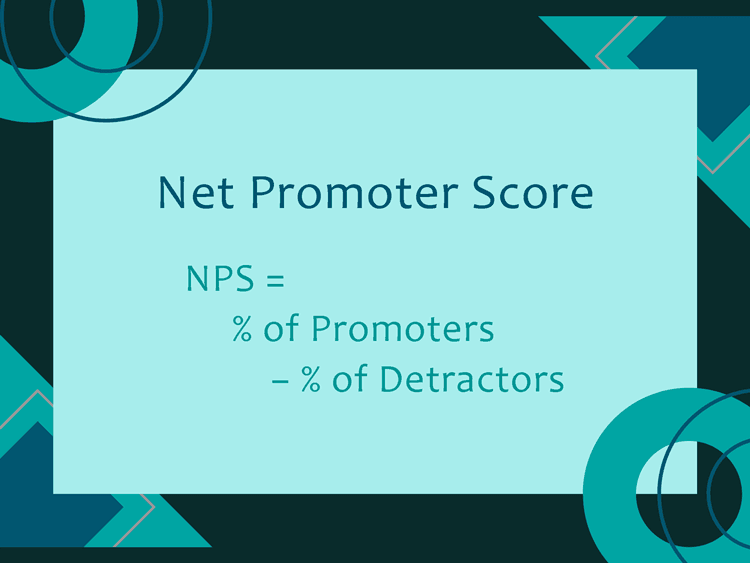
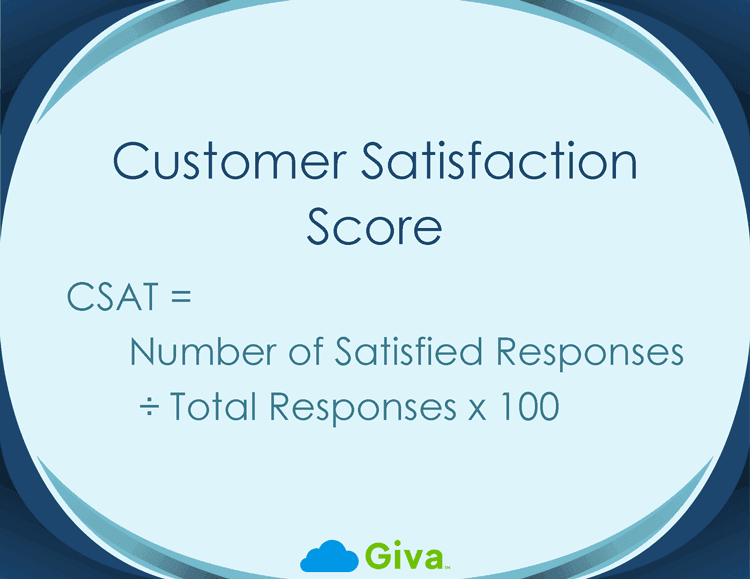
Customer Satisfaction Score (CSAT) is a post-resolution rating collected directly from users, typically on a short survey. It is the most direct measure of the user experience and the metric most closely tied to the help desk's core purpose. All other KPIs influence CSAT in some way.
-
Average Handling Time (AHT)
Average Handling Time (AHT) measures the average time an agent spends on a single interaction from start to finish, including communication, troubleshooting, and resolution. AHT is useful for workload planning and staffing decisions. It should always be read alongside CSAT. Driving down AHT without monitoring satisfaction scores tends to reduce resolution quality.
-
SLA Compliance
SLA Compliance tracks the percentage of tickets resolved within the response and resolution timeframes defined in the Service Level Agreement (SLA). For most enterprise help desk teams, this is the contractual performance measure. Consistent non-compliance typically triggers a staffing review, a process audit, or both.
How AI Is Reshaping Help Desk Duties
The help desk description of duties can fluctuate, and AI and automation tools have changed which tasks technicians handle directly and which are handled by software before the ticket ever reaches a human agent. Understanding this shift matters for job descriptions, hiring decisions, and career planning within the IT support function.
Tasks Being Automated
The tasks most affected by AI are the high-volume, rule-based ones that have traditionally made up a large share of Tier 1 work. AI-powered tools now routinely handle:
- Password resets and account unlocks through self-service portals
- Ticket categorization and priority assignment based on text analysis
- Initial intake through conversational chatbots that gather initial information before routing to an agent
- Knowledge base article retrieval triggered automatically when a ticket is opened
- Routine overnight tasks like software patches and system updates
The cost difference between automated and human-handled resolution is substantial. According to eesel, AI-handled interactions can cost 85-90% less than human ones. For help desk teams handling thousands of tickets per month, that gap changes the economics of staffing significantly.
New Skills the Role Demands
Automation does not remove help desk technicians from the picture. It changes what reaches them. As AI handles more routine requests, the work that arrives to a human agent tends to be more complex, more ambiguous, or more emotionally charged.
Three skills are increasing in practical importance as a result:
- AI Oversight: Technicians need to understand what their AI tools can and cannot do, recognize when automated resolutions are failing or creating new problems, and know when to step in. This includes basic familiarity with how the tools are configured and where their limits are.
- Emotional Intelligence: A user who has already failed with a chatbot and waited in a queue arrives in a different state than a user with a fresh request. De-escalating that interaction, acknowledging the frustration, and re-establishing confidence in the support process requires skills that automation cannot replicate.
- Cybersecurity Awareness: Help desk teams are increasingly a frontline resource in security incident response. Phishing reports, suspicious access alerts, and compromised account flags frequently arrive at the help desk first. Technicians who can recognize these patterns and escalate appropriately add security value beyond their technical support function.
The net effect is a shift from high-volume routine resolution toward fewer, more complex interactions that require judgment, communication, and cross-functional awareness. HDI's 2024 State of Technical Support survey identified emotional intelligence, leadership, and problem-solving as the skills support teams increasingly need as AI handles routine work.
The job is not going away. It is getting harder in different ways.
Help Desk vs. Service Desk: Key Differences
The terms "help desk" and "service desk" are often used interchangeably, particularly in smaller organizations. They describe meaningfully different functions, and the distinction shows up in hiring, scope, and how performance is measured.
- A help desk is primarily reactive. Its core function is break-fix support. A user has a problem and the help desk resolves it, with the focus on restoring normal function as quickly as possible.
- A service desk is broader. It goes beyond incident resolution to cover:
- Both incidents and service requests
- ITIL (IT Infrastructure Library) process alignment
- Proactive activities such as trend analysis, problem management, and communication about planned changes
- ITIL 4 defines the service desk as the single point of contact between the service provider and users, covering a wider scope than incident resolution alone.
The job description matters more than the title. An organization that calls its team a "help desk" but expects pattern analysis, SLA management, and proactive communication is running a service desk. The comparison below reflects the functional difference, not the title:
|
Help Desk |
Service Desk |
Primary Focus |
Break-fix incident resolution |
Incidents + service requests + proactive support |
Approach |
Reactive |
Reactive and proactive |
ITIL Alignment |
Partial or informal |
Designed around ITIL principles |
Trend Analysis |
Limited |
Built into the role |
Scope |
Technical issue resolution |
Full IT service management support |
Typical Output |
Resolved tickets |
Resolved tickets + insights + service improvements |
For a deeper look at how these two functions differ in practice, including where ITSM fits into the comparison, see Help Desk vs. Service Desk vs. ITSM.
Help Desk Description of Duties: Frequently Asked Questions
-
What are the main duties of a help desk technician?
A help desk technician's main duties fall into five areas:
- Ticket Management: Receiving, logging, categorizing, and prioritizing support requests
- Technical Troubleshooting: Diagnosing and resolving issues using knowledge base scripts and diagnostic tools
- Escalation: Handing off unresolved issues to Tier 2 or Tier 3 with complete documentation
- Knowledge Base Maintenance: Documenting resolutions and updating existing articles
- User Communication: Sending status updates and following up after tickets are closed
At Tier 1, basic fixes such as password resets and connectivity troubleshooting make up most of the work. At Tier 2, the focus shifts to system-level diagnosis, configuration changes, and patch management.
-
What is the difference between a help desk and a service desk?
A help desk focuses on reactive break-fix support. A user reports a problem and the team resolves it.
A service desk has a broader scope that covers both incidents and service requests, operates under ITIL principles, and includes proactive activities like trend analysis and communicating about planned changes.
Many organizations use the terms interchangeably, but the distinction matters when setting team expectations and writing job descriptions. ITIL 4 uses "service desk" as the preferred term for the full-scope support function.
-
What skills do you need for a help desk job?
Help desk jobs require both technical and communication skills. Key technical skills include:
- Diagnostic troubleshooting
- Operating system familiarity (particularly Windows)
- Remote support tool proficiency
- Ticketing system competency
Key communication skills include:
- Clear explanation of technical issues in plain language
- Active listening, patience
- Attention to detail in documentation
Certifications such as CompTIA A+ validate technical skills and are preferred for many Tier 1 and Tier 2 positions but are not always required at entry level.
-
What are the three tiers of help desk support?
Tier 1 is the first line of live support, handling high-volume, lower-complexity issues using standardized procedures. Password resets, basic software fixes, and connectivity troubleshooting are typical examples.
Tier 2 handles escalations from Tier 1 that require deeper technical knowledge, elevated system access, or configuration changes. The work here involves system diagnosis, patch management, and infrastructure maintenance.
Tier 3 handles issues that exceed Tier 2 capabilities, typically involving internal specialists or working with vendor support. Resolution at Tier 3 usually requires access or expertise that in-house support staff don't have.
-
How is AI changing help desk responsibilities?
AI is automating the most routine Tier 1 tasks. Password resets, ticket categorization, and initial intake assessment are increasingly handled by automated tools before a ticket ever reaches a human agent. As that work shifts to automation, the requests that arrive to a human agent tend to be more complex, more ambiguous, or more emotionally difficult.
The result is that soft skills are increasing in importance relative to scripted technical tasks, and new technical skills are emerging around AI oversight and cybersecurity awareness. The help desk role is not being eliminated but is shifting from high-volume routine resolution toward fewer, more demanding interactions.
Related Giva Resources
- IT Help Desk Ultimate Guide
- Help Desk vs. Desktop Support: What's Best for Your Organization?
- Help Desk Automation Fully Examined
- Help Desk Best Practices Guide
- Help Desk Management: Strategies, Tools, and Best Practices
- Help Desk Metrics: The Most Important to Track
- Help Desk AI: How It Works and What It Changes
A Complete Help Desk Description of Duties Starts With Clarity
Most "help desk" job descriptions are written as a flat list of tasks without distinguishing tiers, roles, or whether the description separates technical resolution work from relationship management work. Both matter equally. FCR rates, CSAT scores, and escalation quality all reflect how well a team handles the technical side. Callback rates, duplicate ticket volume, and user satisfaction after resolution reflect how well they handle the relationship side.
A well-written help desk description of duties covers:
- The specific tier the role operates at
- The full set of technical and communication responsibilities
- How performance will be measured
- Where the role fits in the broader team structure
That clarity serves the hiring process, the technician's day-to-day work, and the manager's ability to coach toward specific outcomes.
What most help desk descriptions miss is that technicians are the primary interface between the IT function and the rest of the organization. How they handle every interaction, from a routine password reset to a complex escalation, shapes how the organization perceives IT as a whole. That accountability belongs in the job description, not just in a manager's performance review after something goes wrong.
See How Giva Supports the Full Description of Help Desk Duties
Running a help desk well requires more than clear job descriptions. It requires software that keeps pace with the work. Without it, documentation gets skipped, escalation notes get lost, and SLA deadlines slip before anyone catches them.
The functions that need platform support include:
- Ticket intake and assessment
- Escalation routing
- SLA tracking
- Knowledge base management
- Performance reporting
Giva's Help Desk Software is built for IT teams that need to get operational quickly, without a months-long implementation project. Teams can be set up in days, with agents trained in hours on an interface designed to match how help desk work actually flows.
Whether you are staffing a new help desk team or evaluating whether your current tools support the full scope of the role, Giva's Help Desk Software and ITSM Software give your team the structure and visibility to perform against the KPIs that matter.
Get a demo to see Giva's solutions in action, or start your own free, 30-day trial today!

Categories: Help Desk